The integration of artificial intelligence (AI) into design has revolutionized the way we approach design. This project complies set of initiatives related to Agents, Pesonalization, Productivity and learnings from Microsoft Outlook.
Reinventing the Outlook experience
Today the limitation of Outlook is that the value that customers get out is proportional to the energy they put in. The promise of AI is that we can decouple the relationship between value -- goal accomplishment, and inputs -- customer energy.
My Role and Impact
At Outlook IDC, I currently lead the end-to-end design of Outlook experiences across mobile and desktop platforms, serving 700M+ monthly active users globally. I have contributed to key Copilot-led AI features in Outlook, now adopted by 9M+ monthly active users in total, scaling productivity and personalization at enterprise level.
In addition, as design lead I manage a team of three designers, I partner on cross-geo initiatives to define future-facing Copilot experiences and strategic AI-powered tools that influence multi-million user adoption and Microsoft’s enterprise productivity roadmap.
Paving way to 0 - 1 AI experiences in Outlook

Accomplish this customer promise by empowering every user with the equivalent of a Chief of Staff helping them accomplish their work.
On Demand AI Experiences
Assistance provided in real-time, collaborating with the user within the flow of their work.
Proactive AI Experiences
Assistance that is prepared in anticipation of the user’s needs, without explicit user direction.
Automatic AI Experiences
Assistance that can independently act & make decisions on the user's behalf.
Some parts of projects may be unavailable for public showcase and presentation due to NDA and confidentiality.
Digital Personalization
The advent of personal computers introduced a new realm for customization. Users delighted in changing wallpapers, customizing icons, and applying unique skins to media players, fostering a sense of ownership and individuality in the digital space. However, this freedom also highlighted the need for thoughtful design, as excessive customization could lead to usability challenges.
Dark Mode
A notable milestone in digital personalization was the introduction of dark mode in Android 10 and iOS 13. This feature seamlessly blended form and function: offering aesthetic appeal, reducing eye strain, and conserving battery life on OLED screens. It exemplified how technology, when thoughtfully designed, can cater to user preferences while enhancing functionality.
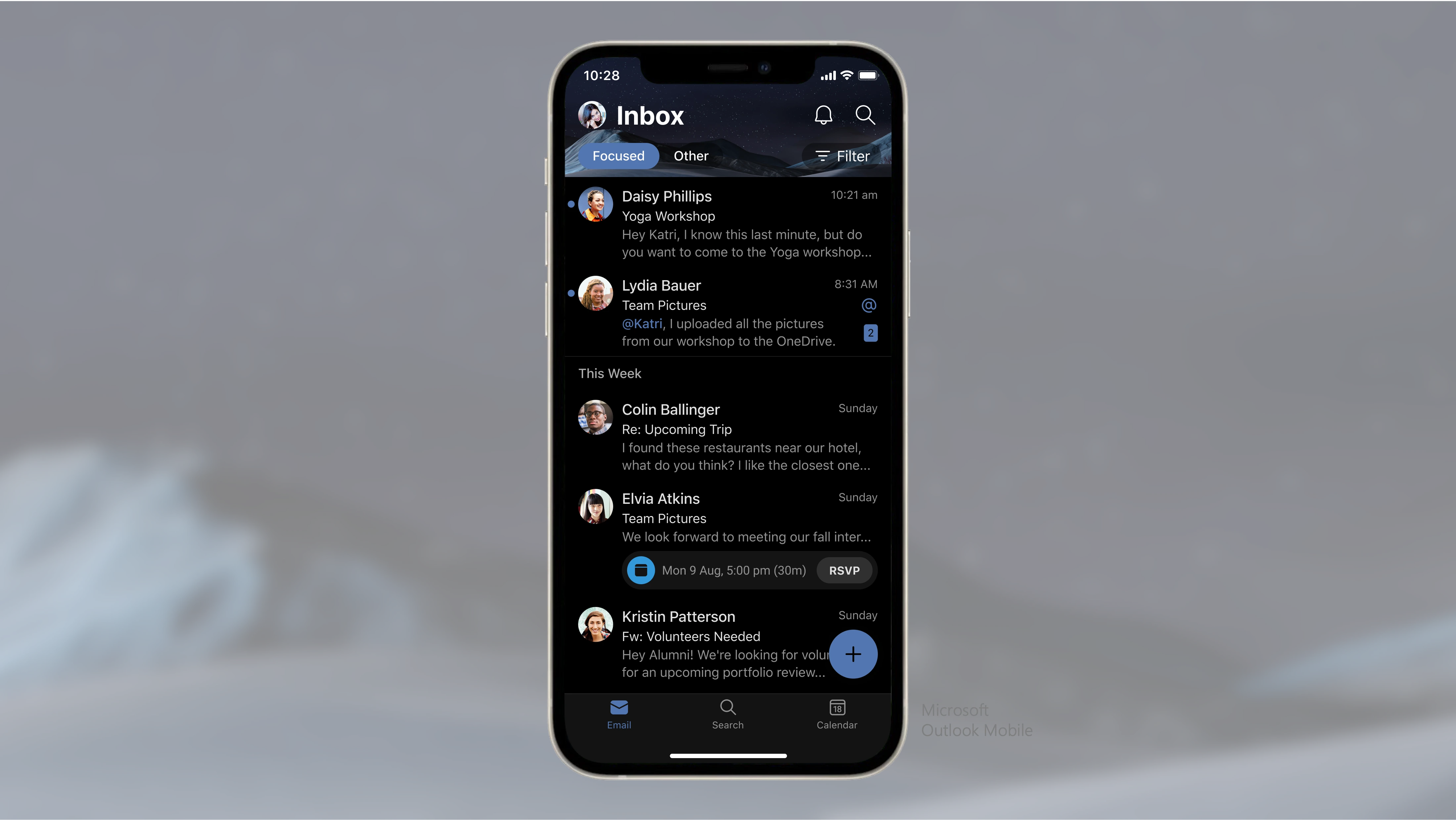
Microsoft Outlook in Dark Mode
Delight with value
The Role of AI in Personalization
Implicit customization—where AI learns from user behavior to make automatic adjustments—is becoming the standard. Think of Netflix's recommendation engine or Spotify's personalized playlists. These AI-driven experiences optimize for relevance, engagement, and user delight, surfacing the right content at the right time.
Today, artificial intelligence is revolutionizing personalization, enabling experiences that are not only tailored but also adaptive and context-aware. AI analyzes user behavior, preferences, and environmental factors to deliver bespoke interactions.
Responsible AI by Design
As AI becomes increasingly integrated into our designs, responsible AI practices must be a priority. Designers and developers need to ensure AI-driven solutions are:
- Accessible to all users
- Free from bias and inclusive
- Designed with minimal complexity to prevent cognitive overload
- Secure and privacy-focused, respecting user data
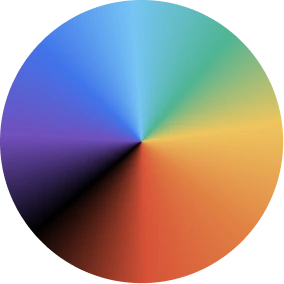
Ensure Consistency & Maintain Core Branding
Maintain core branding even in customized themes. For example, if your app's identity is blue, keep it blue even in a red-themed UI.
Set Guardrails: Evaluate for Bias, Minimize Overload
Set clear constraints for theming, minimize unnecessary choices, and ensure equitable design to avoid bias.
Gradient of Customization – Designing for All Users
Offer a spectrum of options: casual users get simplicity, while power users can tweak more without overwhelming the experience.
Safe Defaults Are Essential
Many users stick with the default theme, so make it great. Choose default which brings the best of your app.
Design Token System
AUse a single source of truth (e.g., Figma tokens) to ensure consistency across designers and developers.
Accessibility is not an after thought
Personalized themes should never compromise usability. Warn users if their color choices reduce contrast
Privacy and Consent Matters
Privacy implications, such as location-based access, and ensure transparency with users.
Context & Opt-Out Flexibility
Users should be able to reset to default and undo changes easily. Personalization should be an enhancement, not a burden.
Performance & UX Balance
Theming should never slow down or interfere with content personalization. Optimize for speed and usability.
Presenting how personalization lies at the heart of the Outlook experience—where expression, belonging, inclusivity, and adaptability come together to create a product that truly feels like yours.
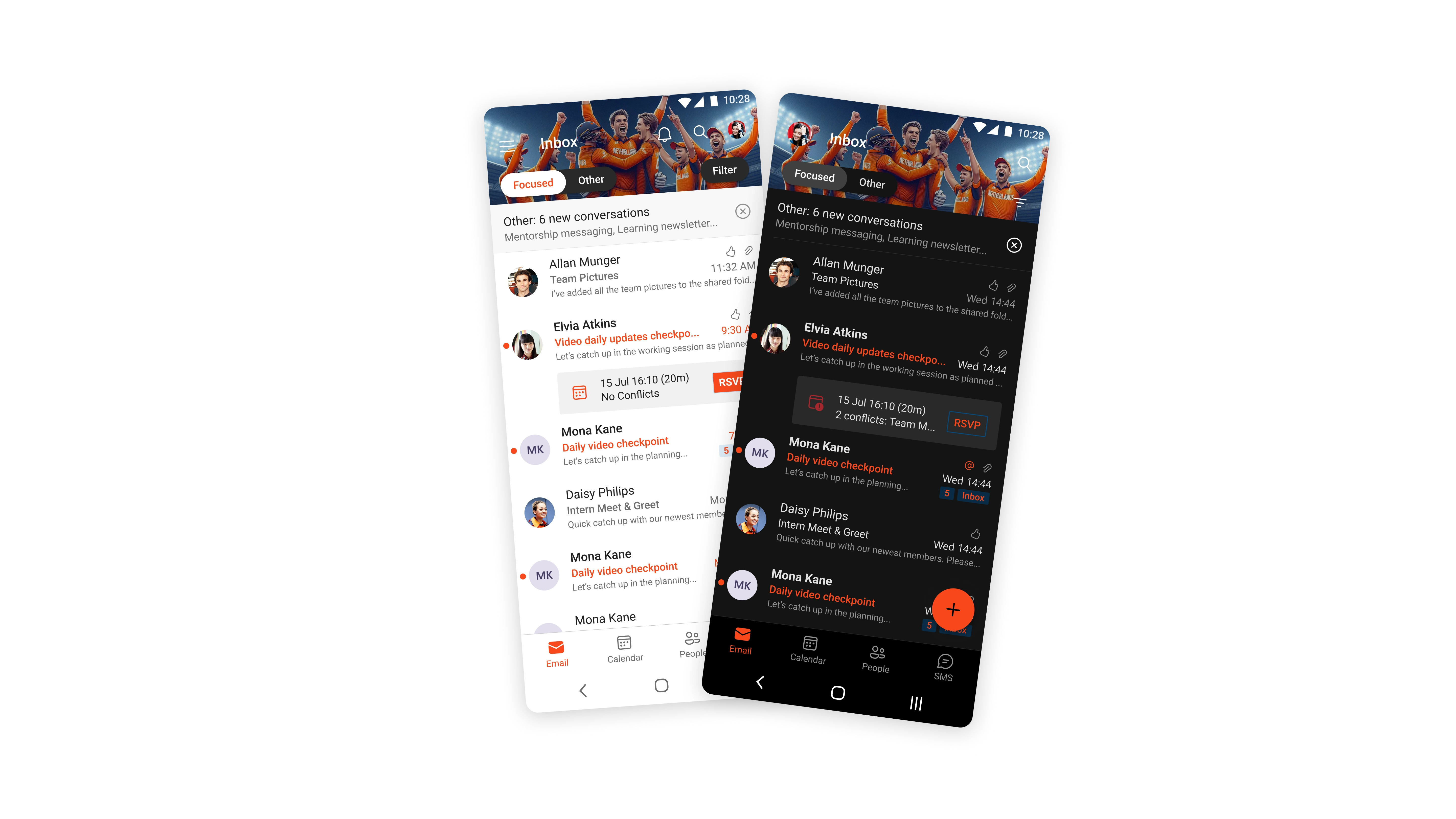
Event Based Theming
During the Cricket T20 World Cup and Olympics we introduced event based theming for our users. By choosing themes aligned with their favorite teams, fostering a more immersive and personalized experience. Notably, the time required to go from asset creation to production-ready visuals was reduced to one-fourth, greatly accelerating delivery. Key learnings from this initiative included addressing AI hallucinations, managing dark and light mode variations, and ensuring an accessible color palette.
Dynamic personalized theming with Copilot
In November 2024, Microsoft introduced "Themes by Copilot" in Outlook, an AI-powered feature that allows users to create personalized themes reflecting their preferences and style.
Personalization is all about respect for the user.
It says, 'You are unique, and this product recognizes that and enables you.'
AI as an Enabler
Our journey into generative AI revealed its remarkable capacity to augment human creativity. By integrating AI into our workflow, we reduced the time from asset creation to production-ready outputs by 75%, allowing us to explore a broader array of creative variations.
You as an Enabler
While working with AI, as we harness AI's potential, it is imperative to uphold our responsibility toward users. Establishing clear guidelines and guardrails ensures that AI-driven designs are equitable and inclusive, aligning with ethical standards.
Embracing the Synergy of AI and Human Creativity
At the intersection of artificial intelligence and human ingenuity lies an unprecedented opportunity to craft personalized, contextual, and adaptive experiences. This collaboration promises a future where technology not only complements but also amplifies individual preferences and desires, leading to richer and more resonant user experiences.
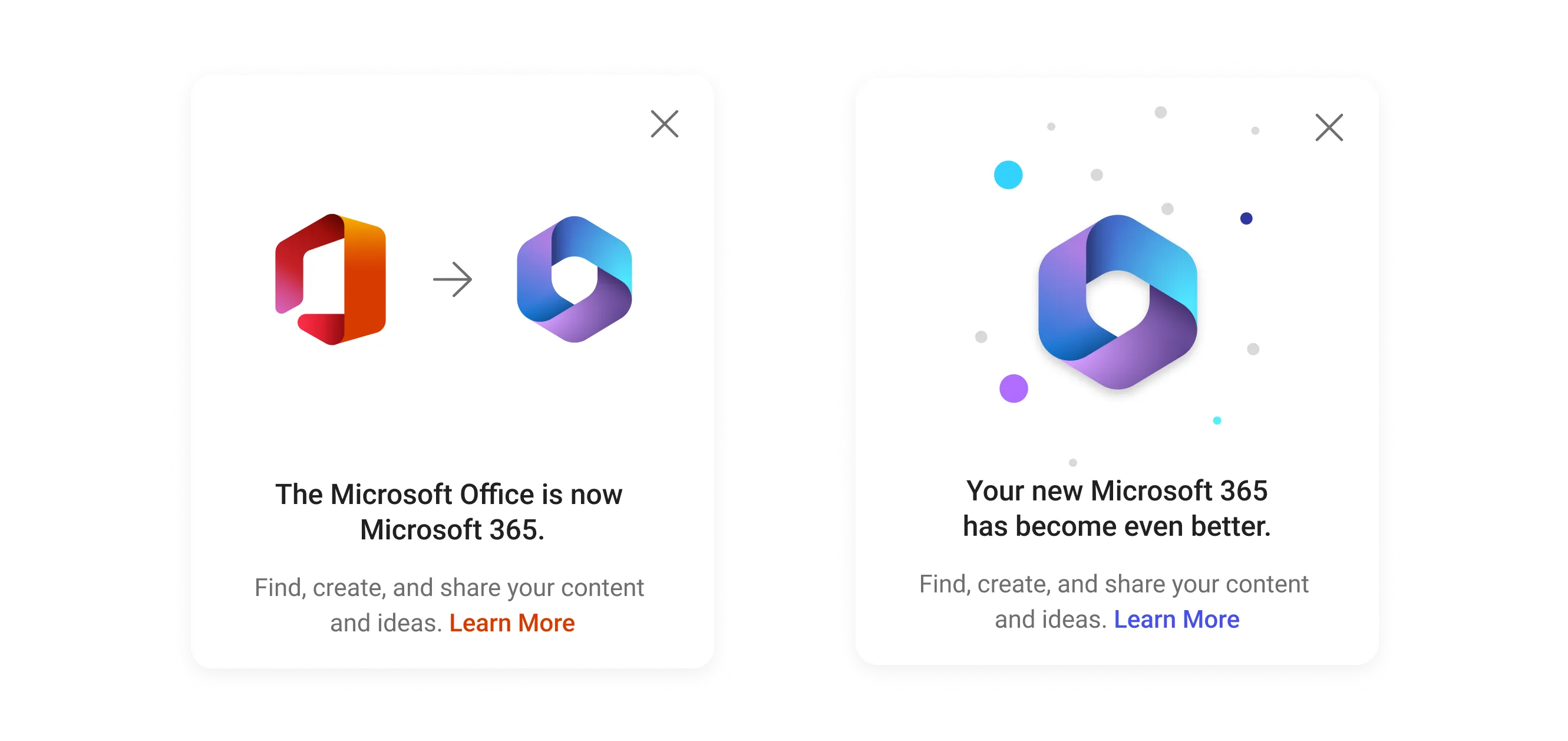
Formerly Microsoft Office
The Microsoft 365 mobile app is a go-to productivity app for phone and tablet users. It integrates Word, Excel, and PowerPoint with exclusive features that simplify document creation. The app uses the latest AI technologies to power these Actions and provide personalized suggestions. Users can create, edit, and share documents using these popular applications in one place, without switching between different apps.
Empower user with highly efficient, intelligent productivity-related tools and workflows.
850+ M
Install base
160+ M
Active Devices (MAD) ▼ 81%
80+ M
Active Users (MAU) ▼ 50%
18.5%
Rentention (DAU/MAU)
4.5
Rating (Android)
4.7
Rating (iOS)
The app allows one to create, consume, collaborate on, and find content and be productive with it. It is an app to get things done efficiently, where one can find the right tool and content to increase productivity in novel ways
Office has primarily 3 kinds of users namely
Commerical
Enterprise user using Microsoft 365 suite.
Consumer
End users, who are signed in via microsoft account.
Academic
Educator, students who use Microsoft Edu offerings.
About
Microsoft Office brings back nostalgic memories for me, as it reminds me of the assignments I did in school, and it was the first thing I would install on a new Windows device. Microsoft Office has a new look and feel now, and after a decade of using it, I feel immensely proud and happy to lead the design of such an iconic brand’s refresh on mobile.
Introducing Microsoft 365, the new Office, with a fresh look and new features. It combines the power of productivity tools like Word, Excel, and PowerPoint with the modern capabilities of media and intelligence. Your personal office for mobile productivity has a new look. We can’t wait for you to try it out and see how it becomes your essential app as we bring more power to you
Quick Overview
Led Global Rebrand of Microsoft Office to Microsoft 365
Solution
End-to-End brand refresh, redesigned Microsoft 365 Application across all endpoints iOS, Android, iPad, tablets.
Role
Design Lead
Contribution
Application refresh strategy, design direction, execution, partnership and management
Project Duration:
8 Months
Project Status
In Production
Scroll right...
A platform for modern work, essential product for the everyday, adaptive and an integrated platform
1. Strive to understand and define deeper meaning of what brand wish to communicate through
visuals, communication and experience.
2. Stay more closer and support your triad though-out the journey with empathy and design
decisions.
3. Address the problem where the problem is instead around it.
4. Planning is critical and more important is to monitor them.
5. Ensure users are communicated well in advance.
6. Brand refresh can be more valuable if supported with improved and new capabilities.
7. Embrace change with determination.
People-Centric
Networks create new possibilities by connecting people, content, and interactions. These
networks use information or signals from the network to motivate users to engage with the
content, leading to better retention and satisfaction.
Leverage network effect in productivity context.
Quick Overview
Enhanced engagement and retention by bringing people signals in context of workplace productivity
Solution
Greenfield implementation of people led networking page in Microsoft 365 App
Role
Lead Designer
Contribution
conceptualization, user flows, design
and end-to-end delivery
Project Duration:
1 Year
Project Status
Went Live in Dec 2023
Our mission is to become network powered daily habit app for content centric mobile workflows. As the mordern apps are moving towards People centeric Network, to increase engagement and retention in the app. People centric principles can increase relatitbility with the app. Evaluate, design responsibly and examine factors such as FOMO, Social Validation, Self Disclosure, creators economy aspect of network.
Sarnoff's Law
V=n
The value of the network (V) increases in direct proportion to the size of the network (n).
Metcalfe's Law
V=n2
The value of the network increases to the square of the number of users in the network.
Reed's Law
V=2n
Networks may grow proportionally to the network size but there are forming groups that scale faster in value than others (because of influence or interconnectedness).
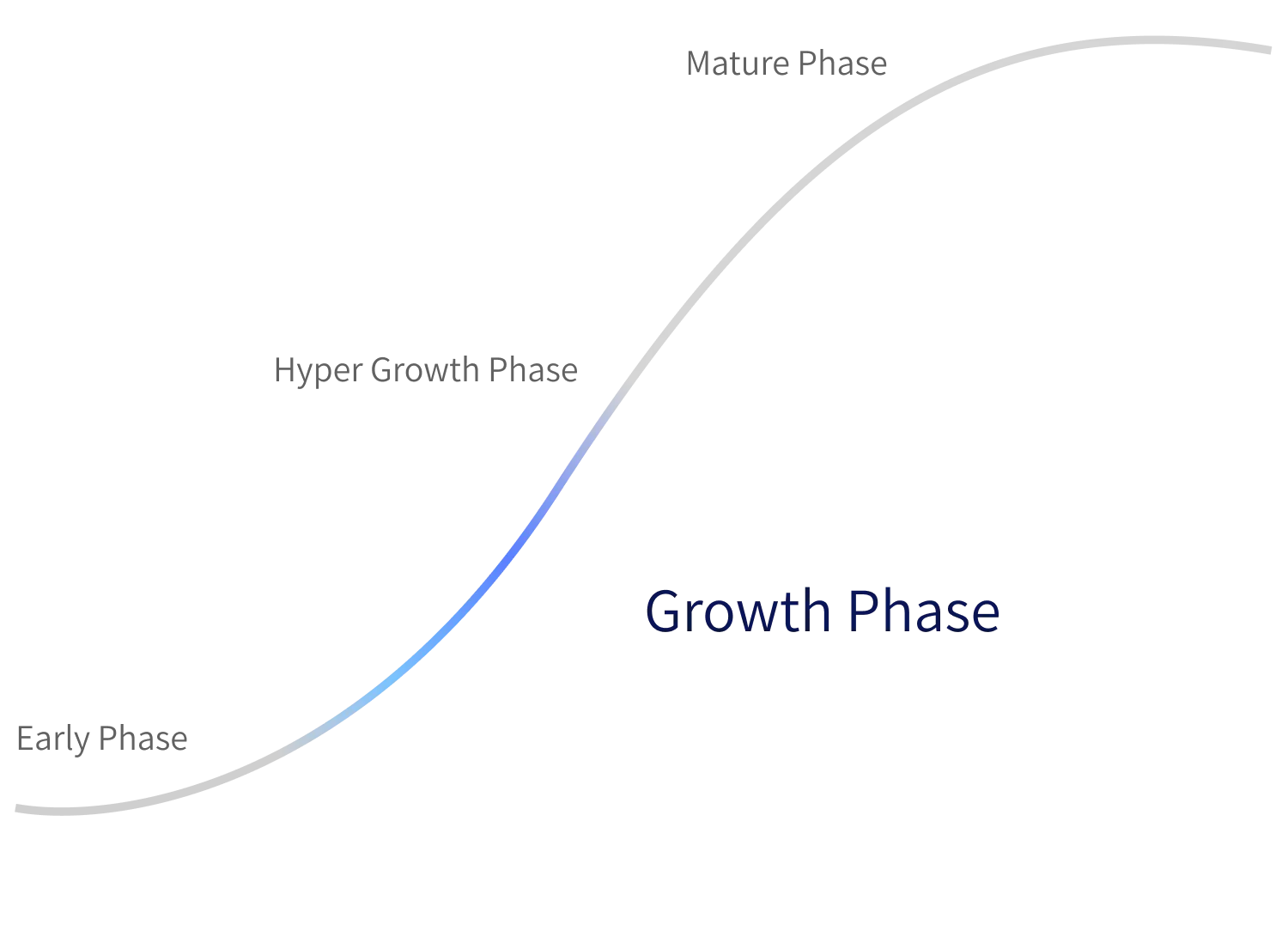
Business Need
Creating an engagement loop: Acquisition, Activation, Retention, Referral, Revenue, where new users are brought to the funnel, inactive users are revived, and active users are retained, is one of the few directions for this work effort. Therefore, keeping a view of different kind of users namely Churn (inactive), retained and new.
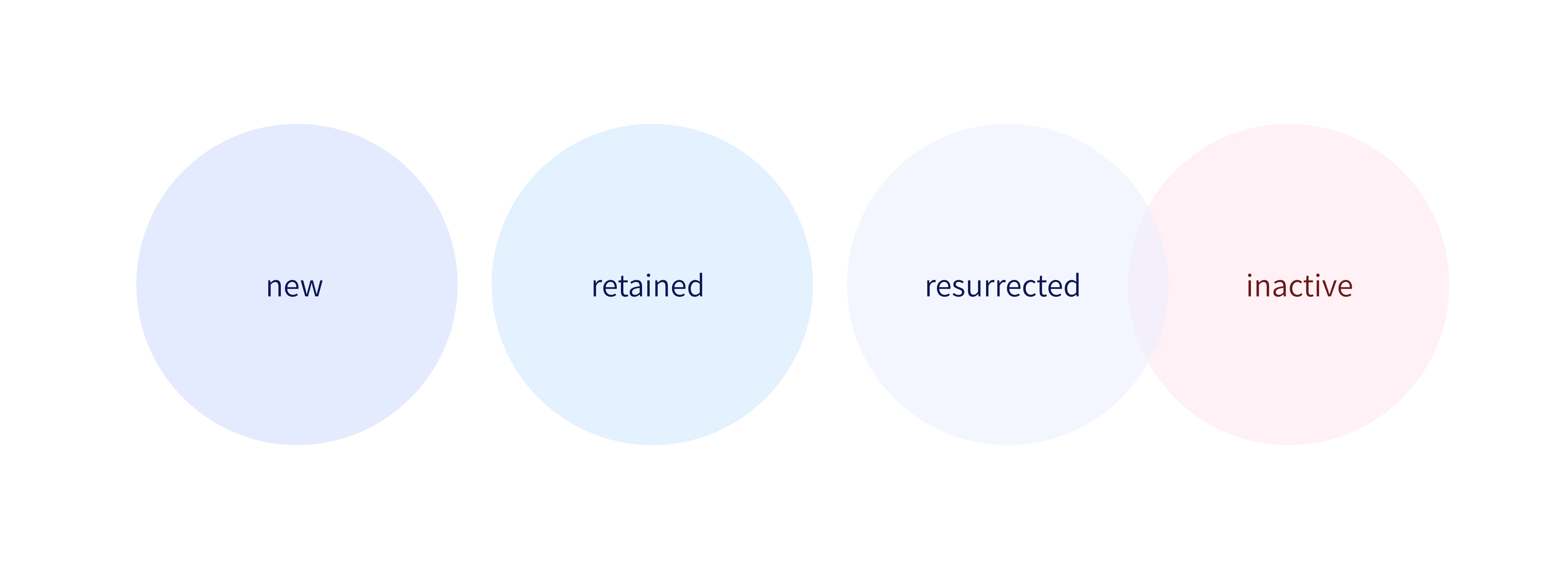
Retention
Of the total users only 31% is retained.
Share Engagement
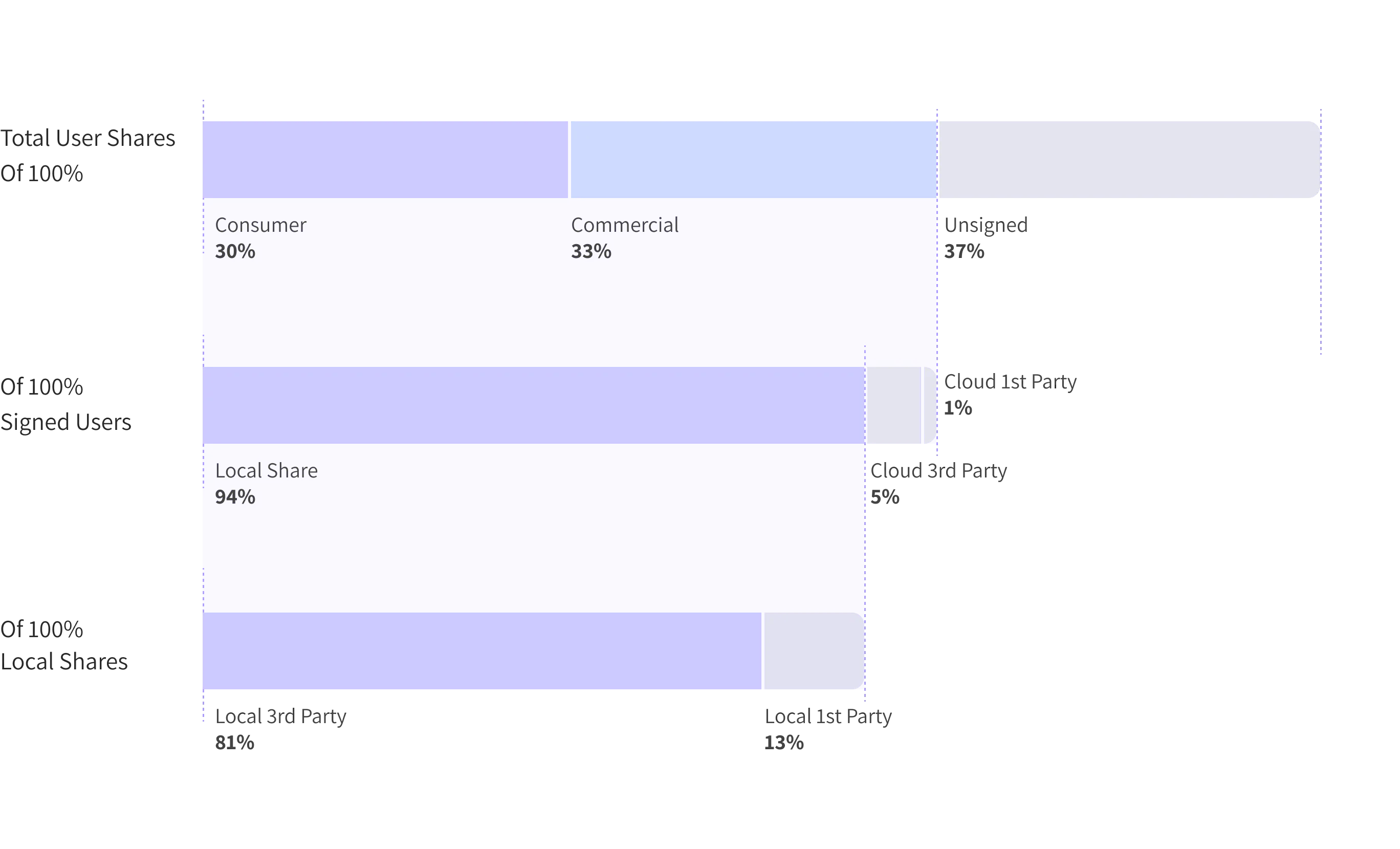
Consumer and academic engages the most.
network powered daily habit app for content centric mobile workflows
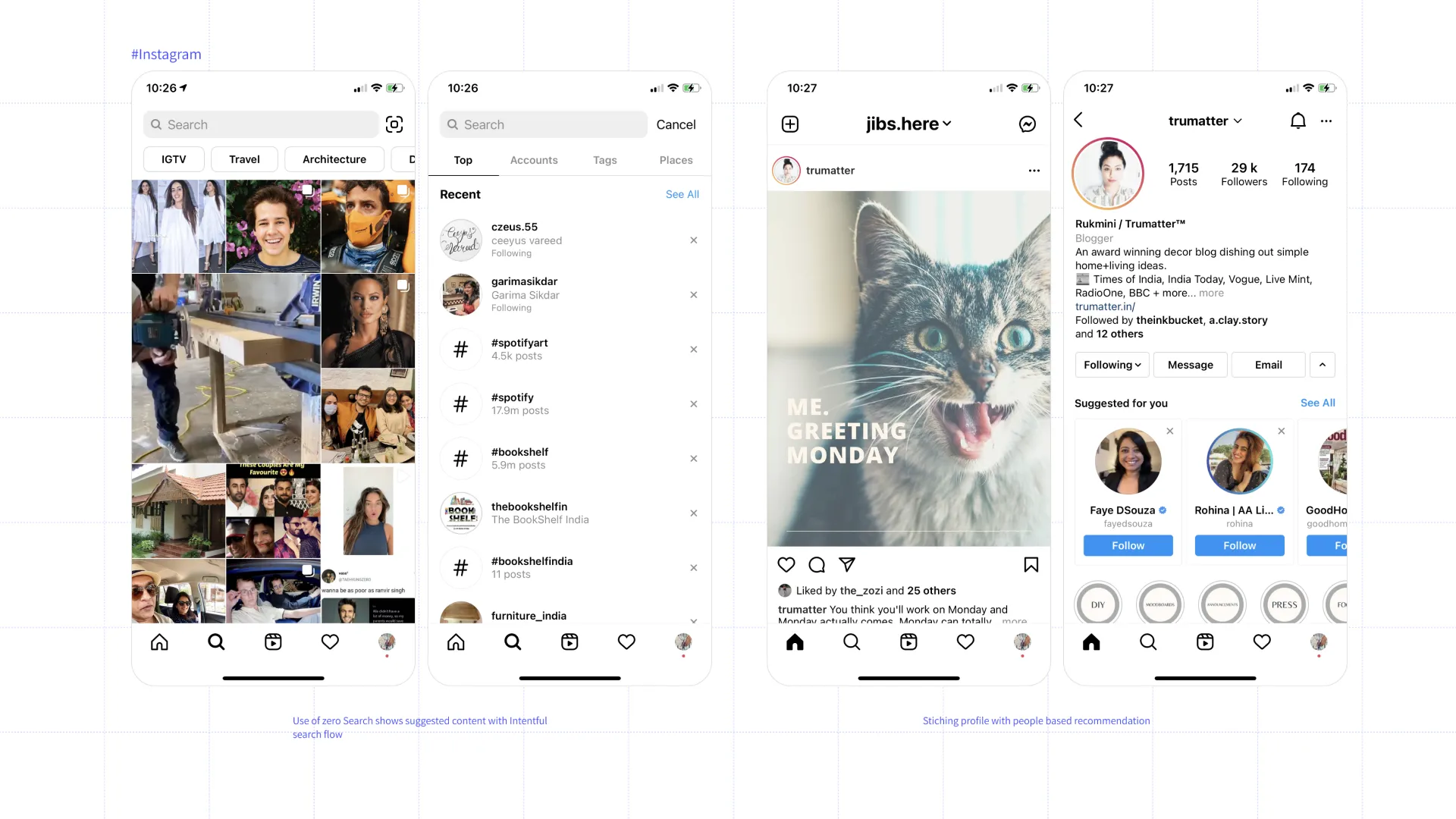
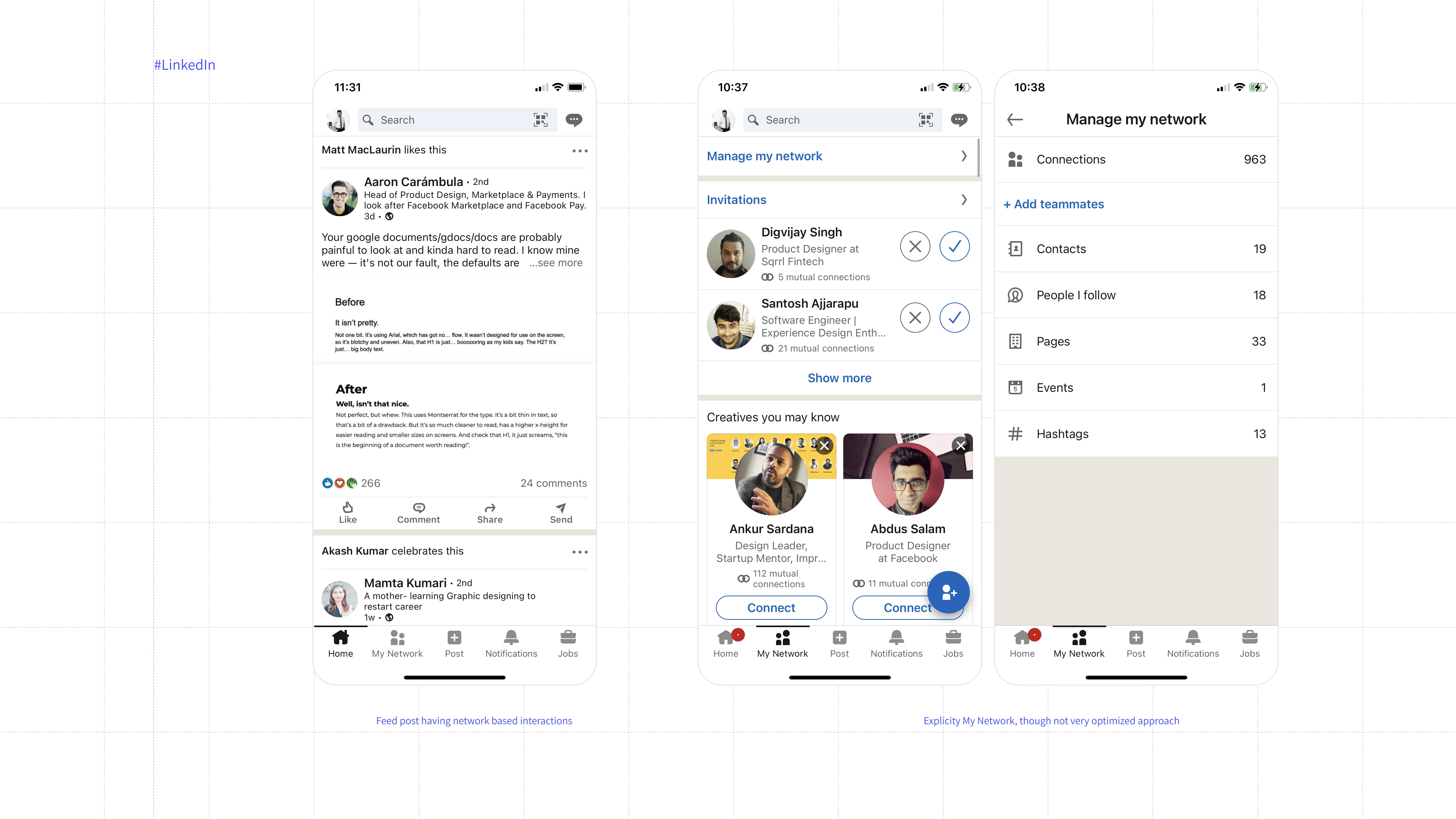
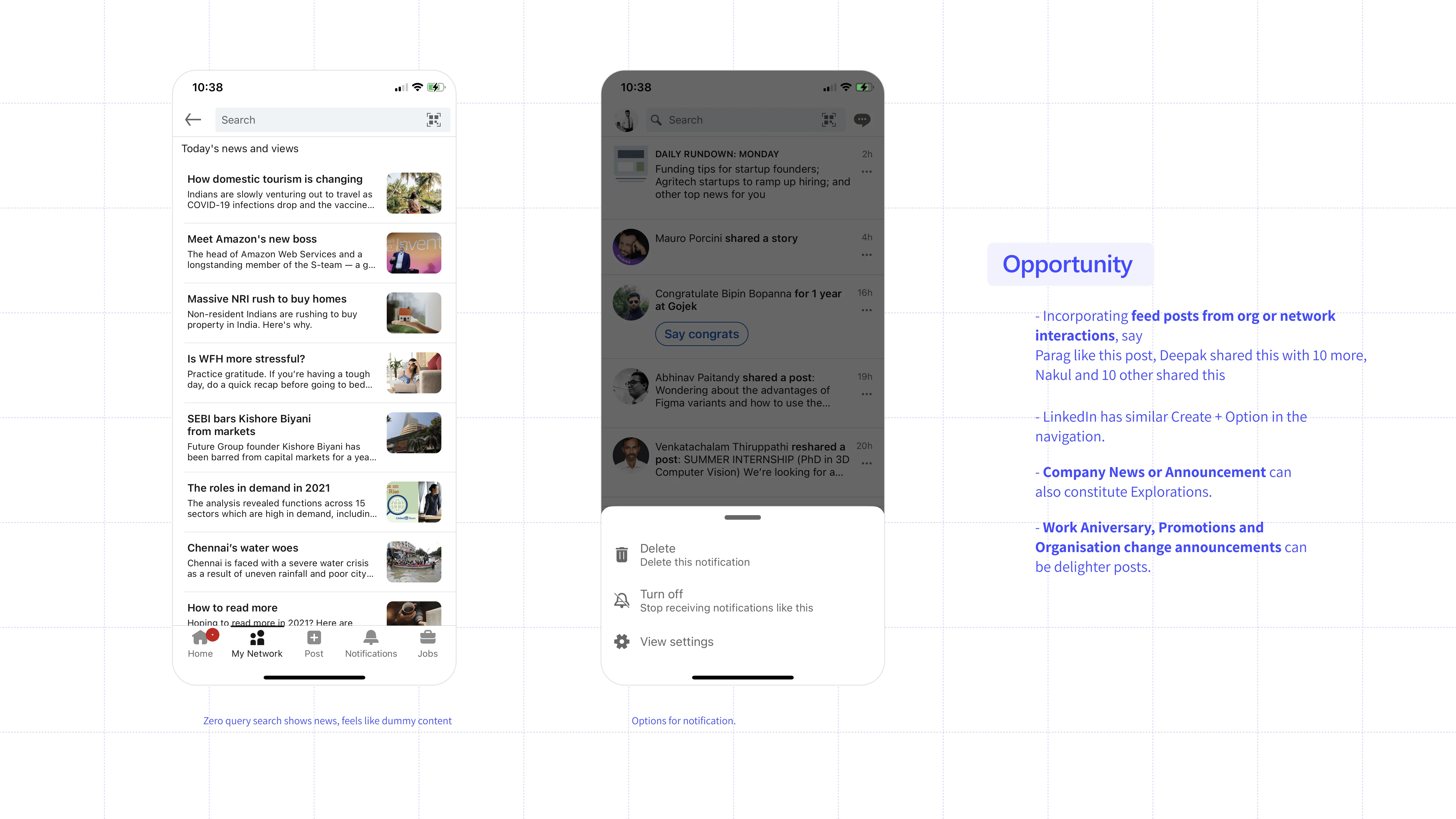
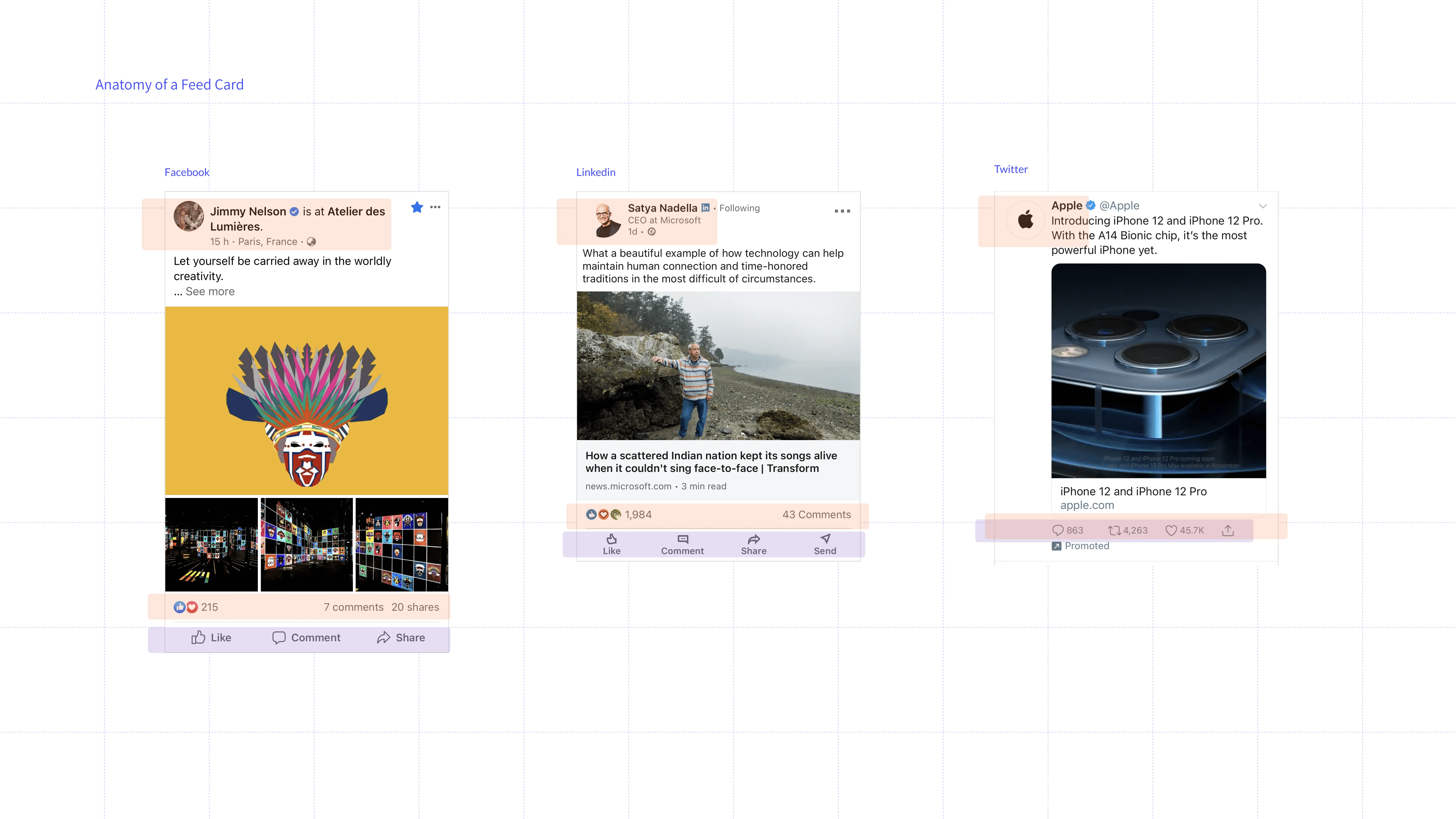
Secondary Study
Primary Study
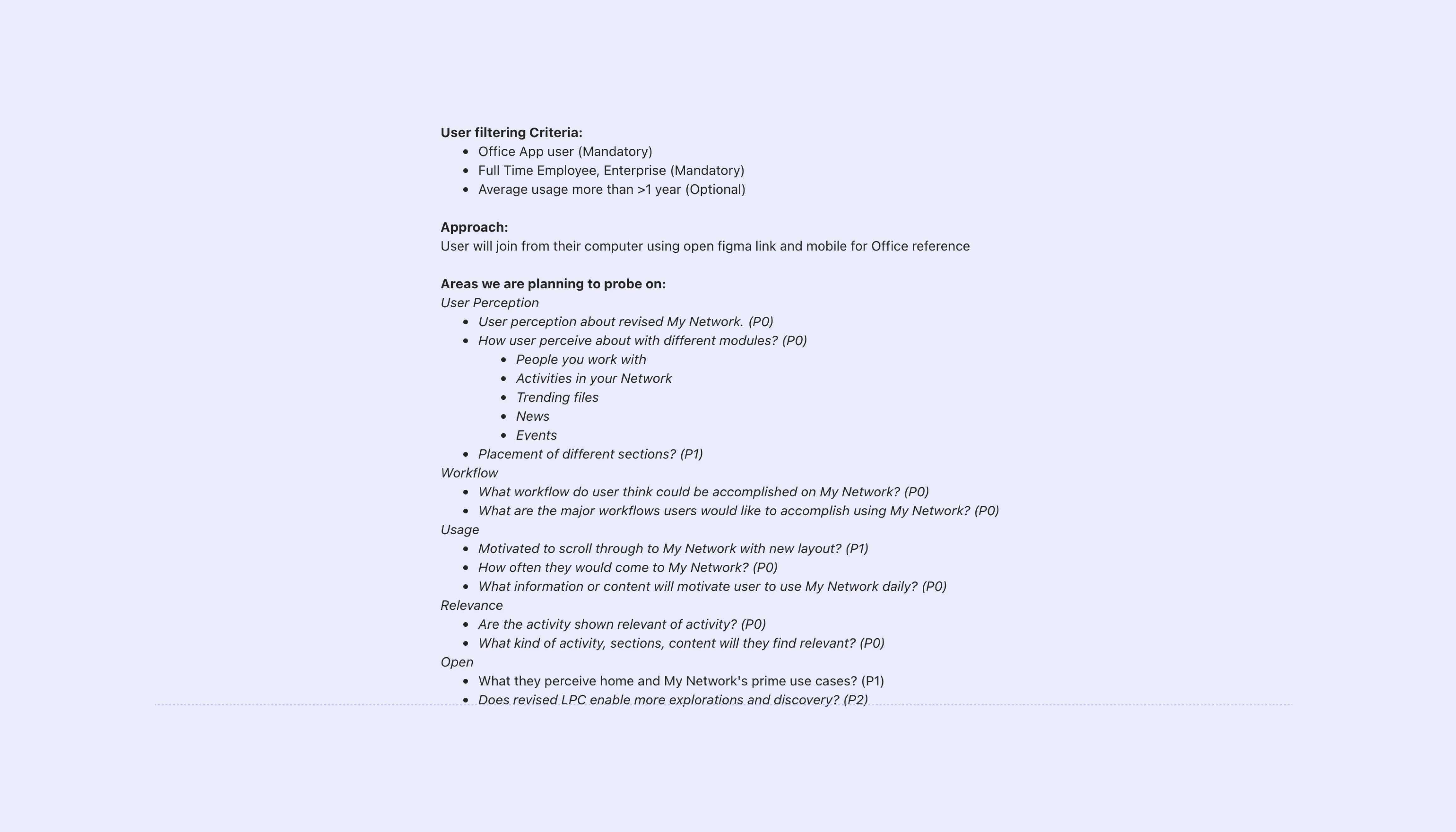
Interviews with participatory design activities were conducted to tap into user
behaviour
around
Network driven content and observe their perception of the current concept designs for
the same.
User research lead by Union research team.


Scroll right...
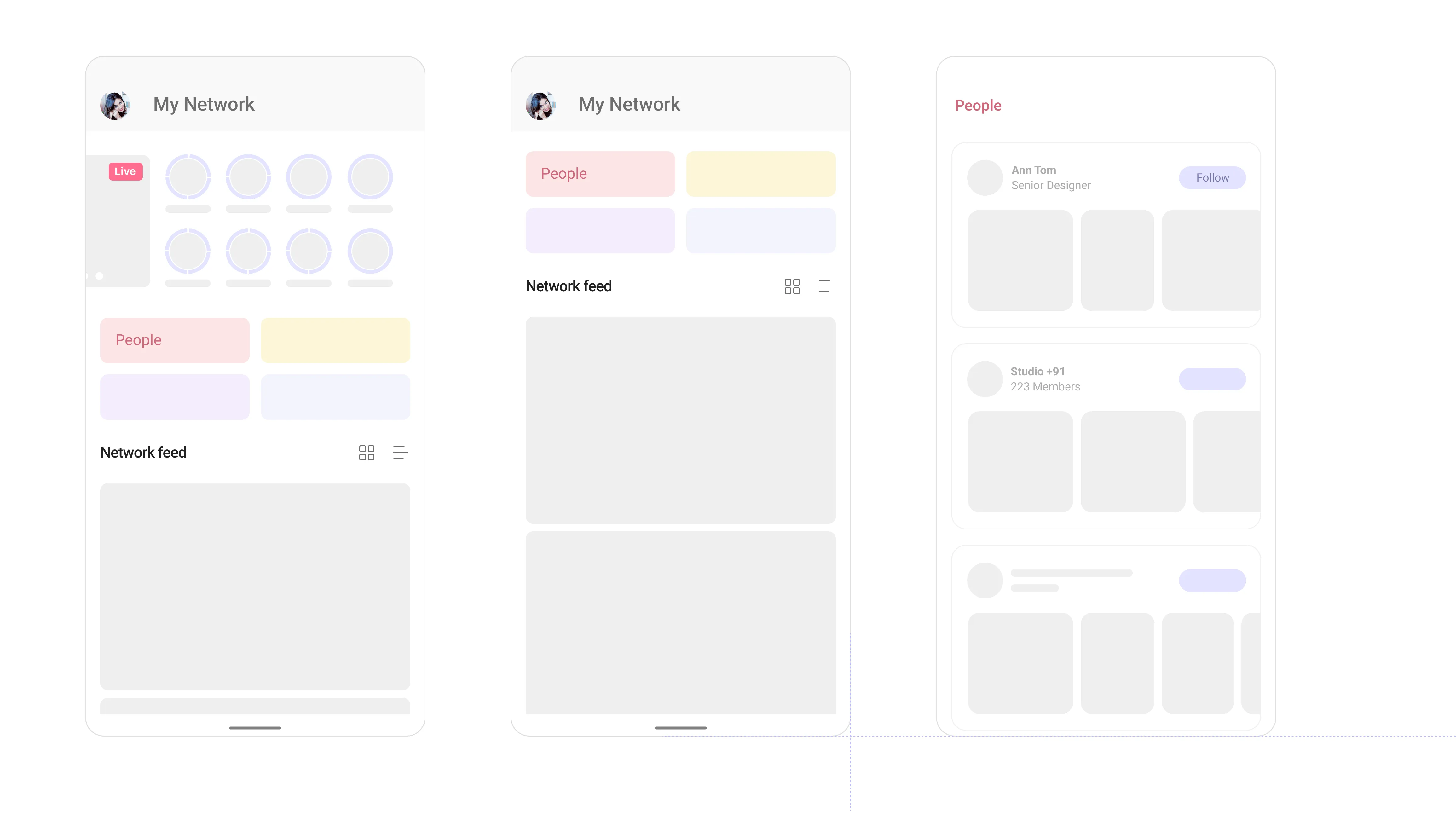
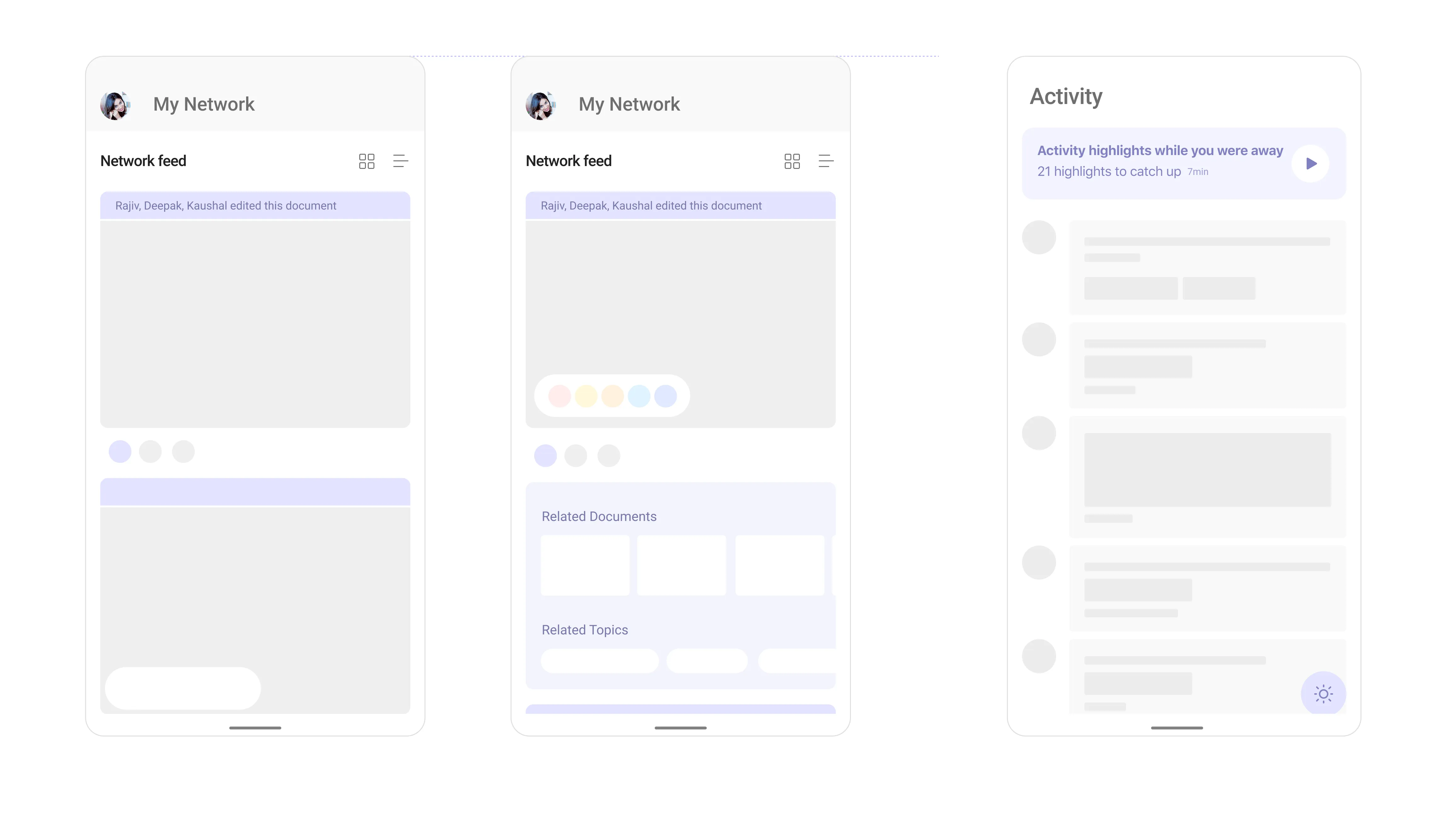
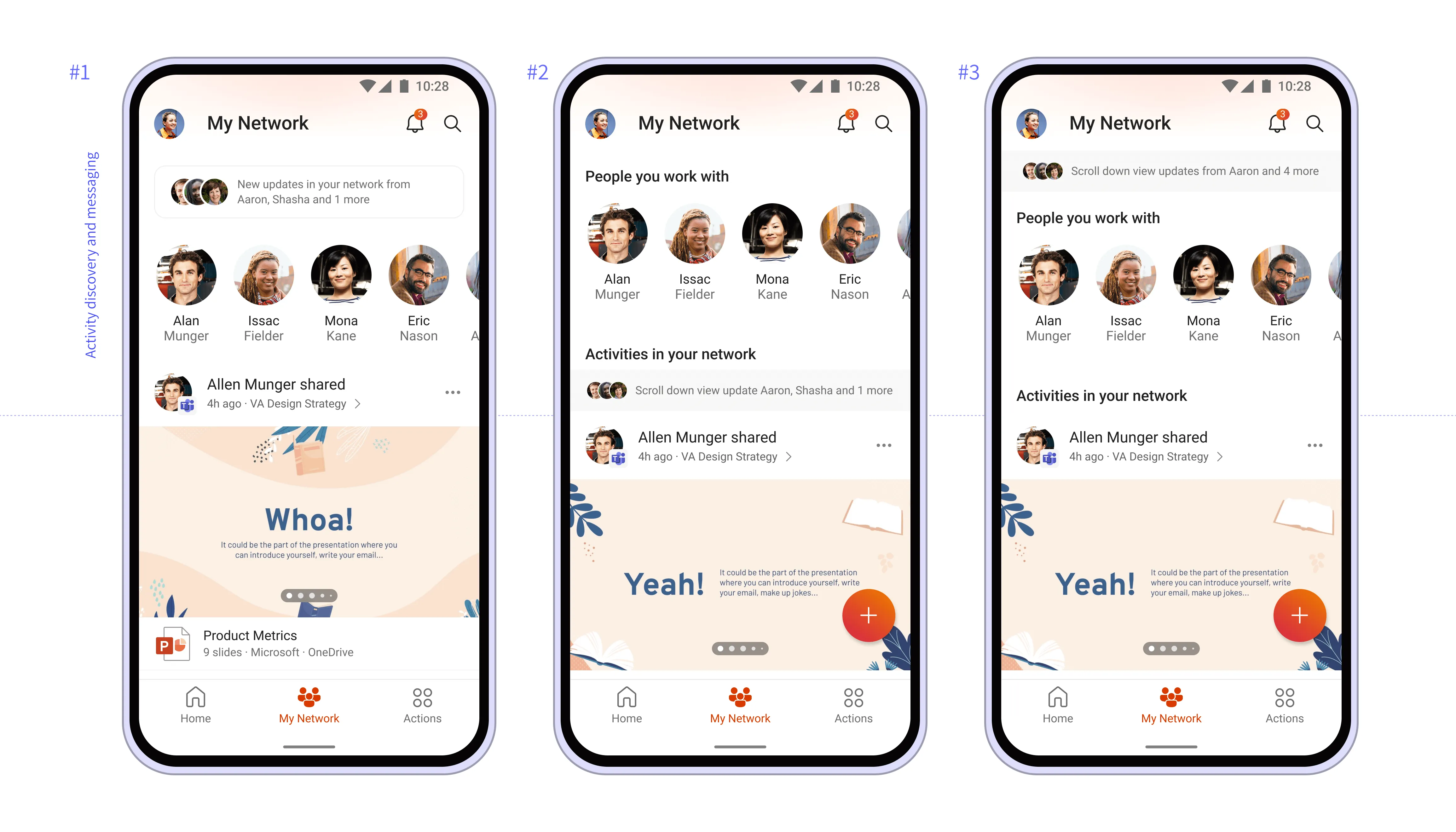
Area of Intervention
Rich Media Consumption
Sharing
Virality
Feed
Unique Workflows
Interaction pattern
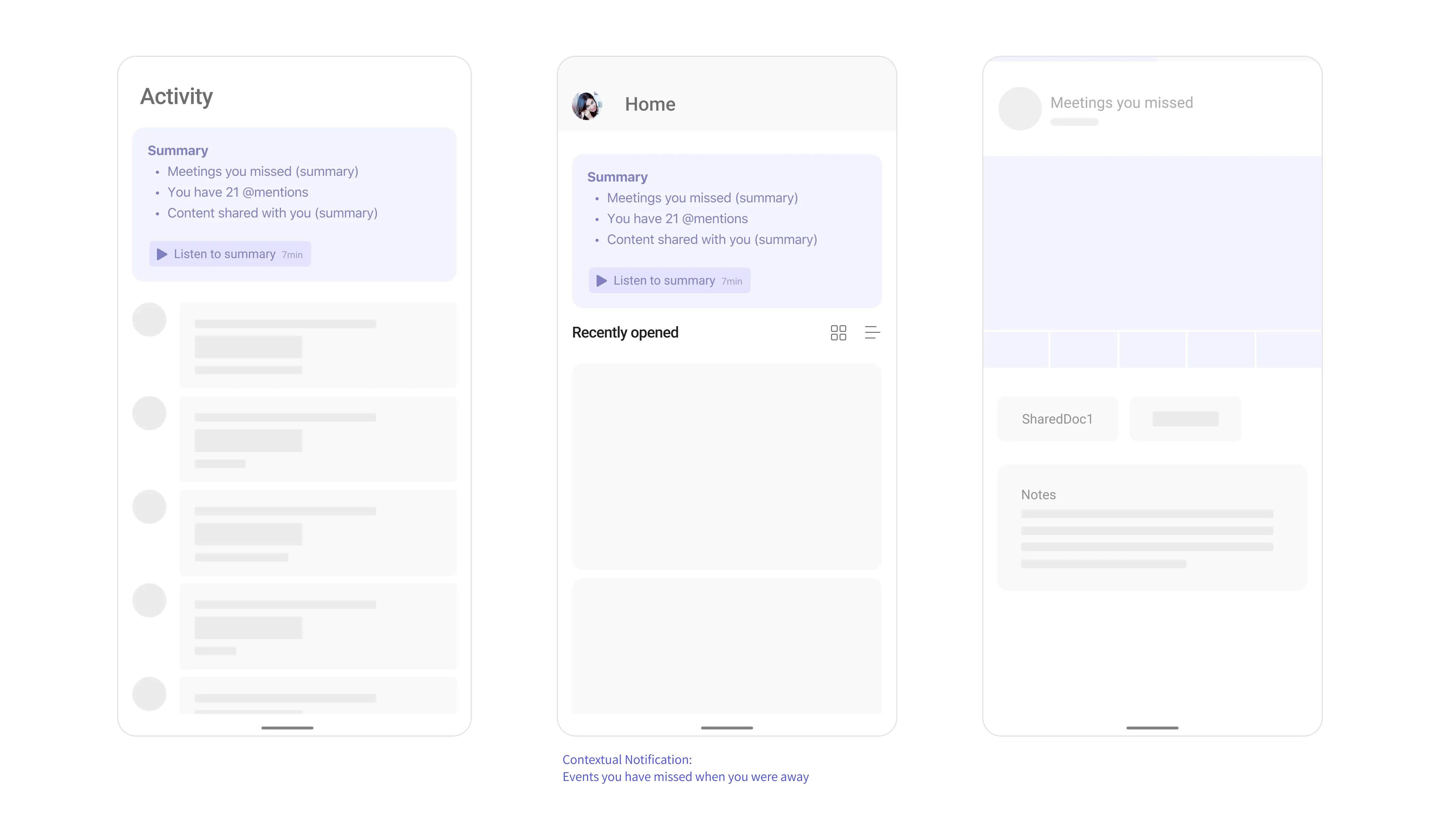
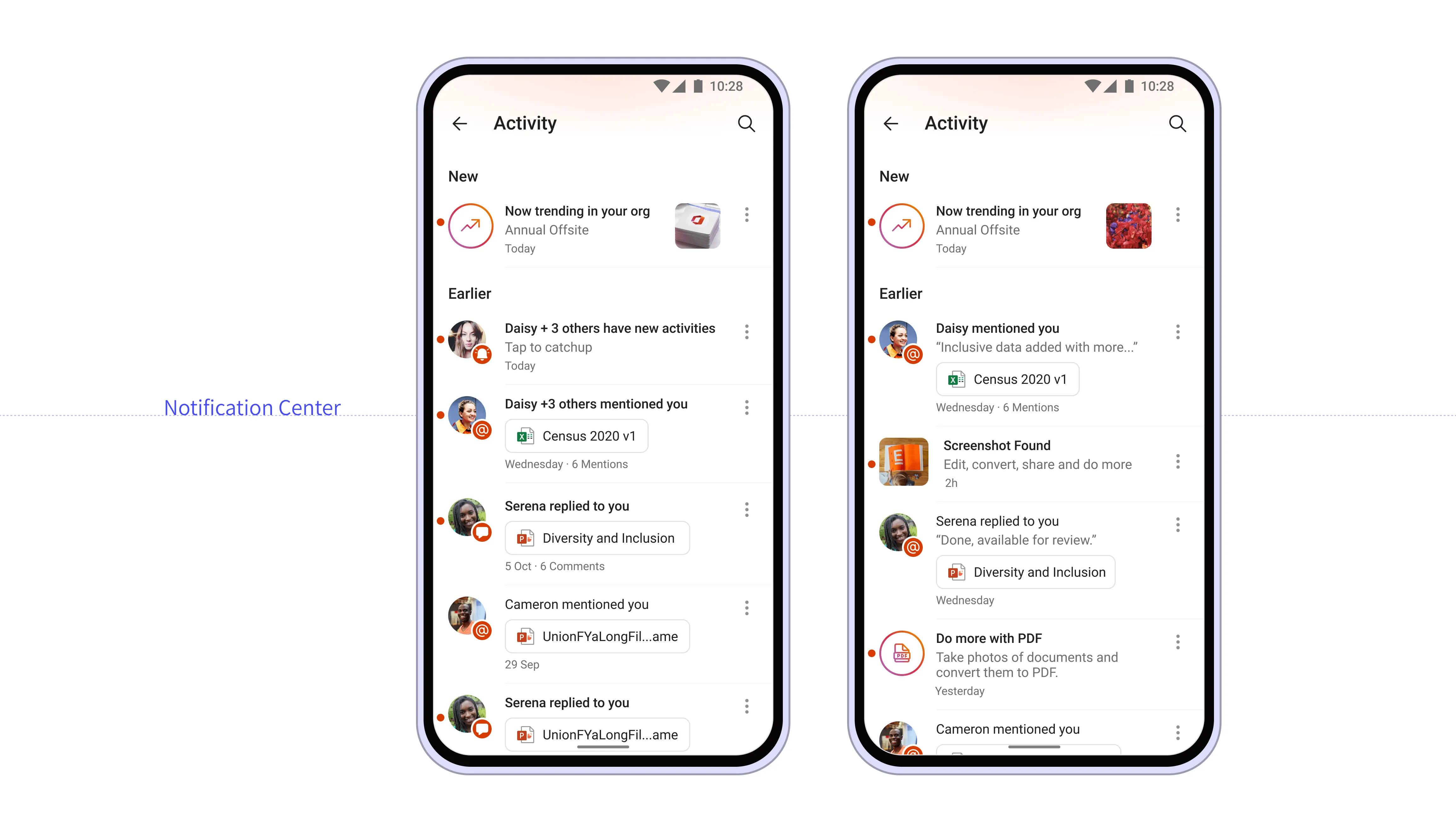
Notification Center/Actionable
Widgets/Launcher
Me Page
Public sharing
Value Proposition
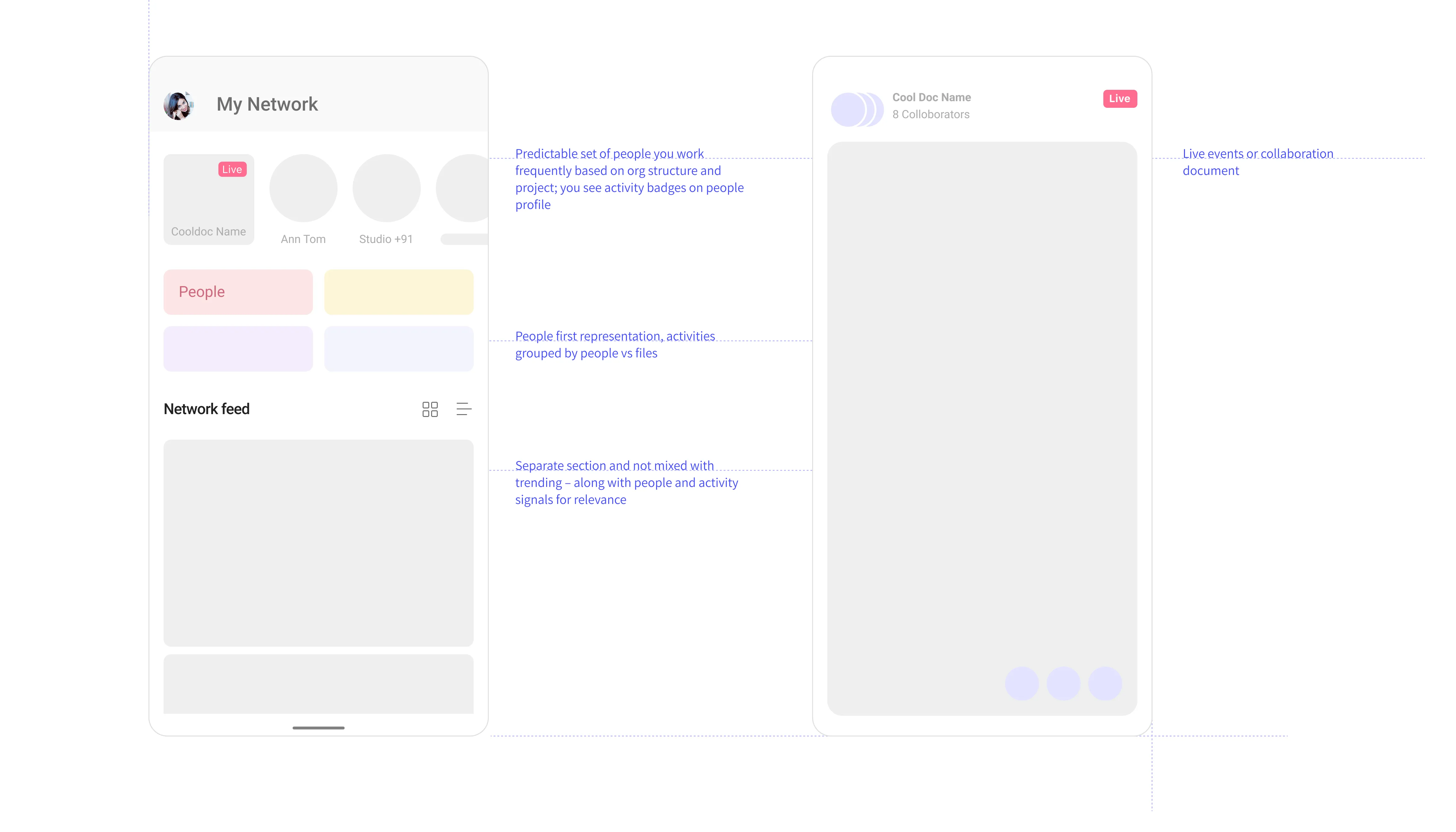
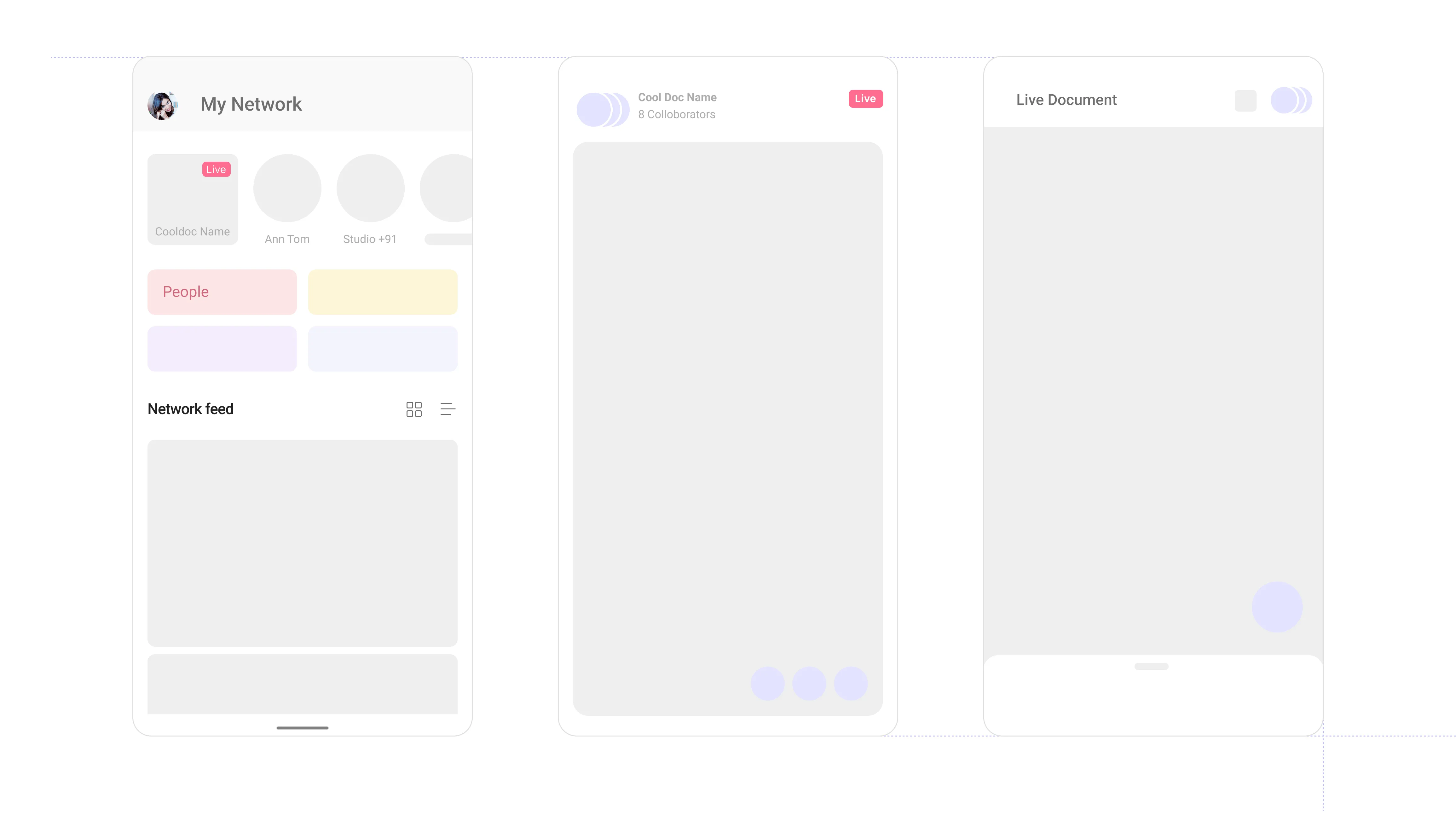
People first discovery
Prominence on relevance via people, activity signals
Distinct sections for explorations
Focused on needs unaddressed by recommended
Scroll right...
Primary User Validations
Control
Let me control what I see
Privacy
Let me control what of my content is shared with others
Relevance
Show me only what's meant for me and my work
Aggregation
Gather information from other apps and display it here so I don't miss it
Awareness
Tell me how this space works who's here and what choices I have
Enable users to discover new content and drive engagement in their network, thereby driving retention and daily habits.
Target Users
Enterprise (Phase 1)Consumer, Acadmenic
(Phase 2*)
Enablers
People Centric Feed
Notification
Diverse and Exploratory Content
People Profile
Sharing
Key Considerations
Existing infrastructure
Driven by experimentation
Feature-market-fit
Cross-geo team collaboration
Goals and Success Metrics
Engagement up to 30% DAU/ MAU (2X). (Baseline 17%)
Modern discoverablility //Awareness
Inviting and contextual
Relevant – aware of the context, person and content
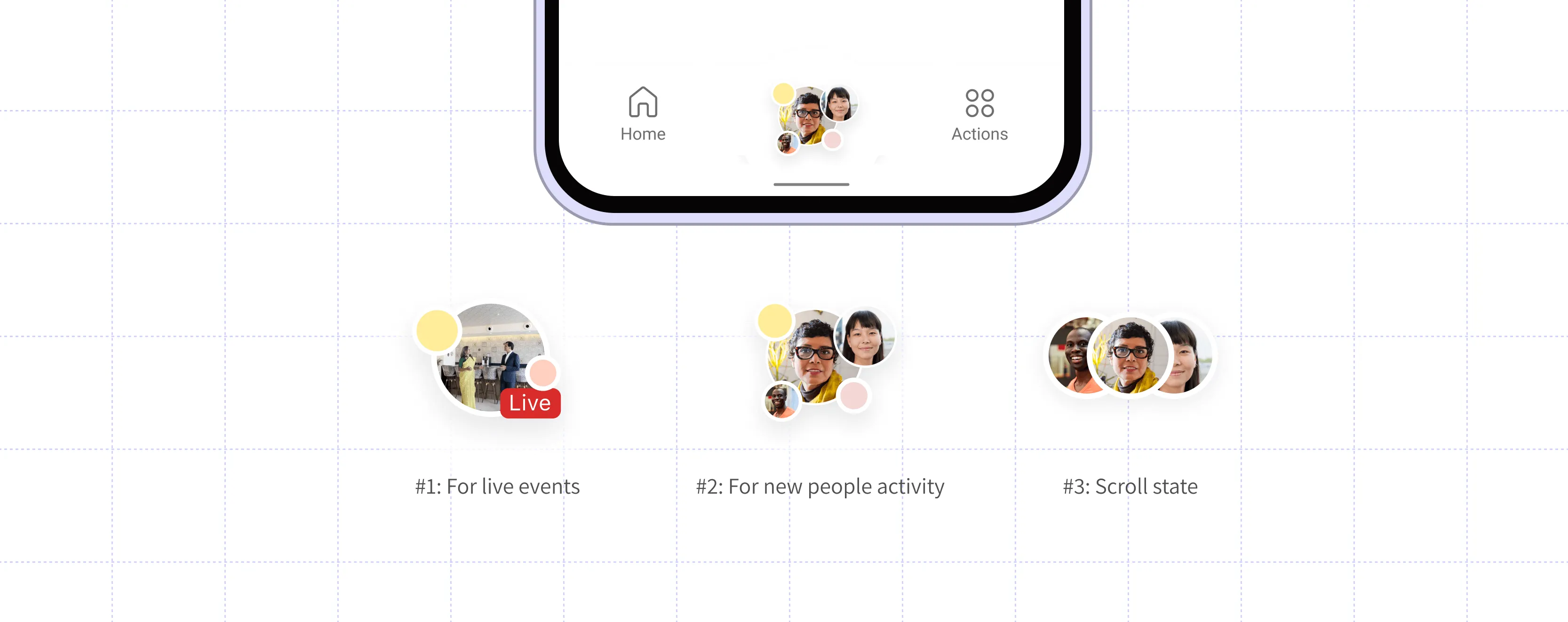
Skimmable and Engaging Consumption //Relevance
Short format consumption and go through key info
Modern consumption and organisation

Actionable Messages //Control
Make user the master and delight with recommendation
Personalization can make tool relatable
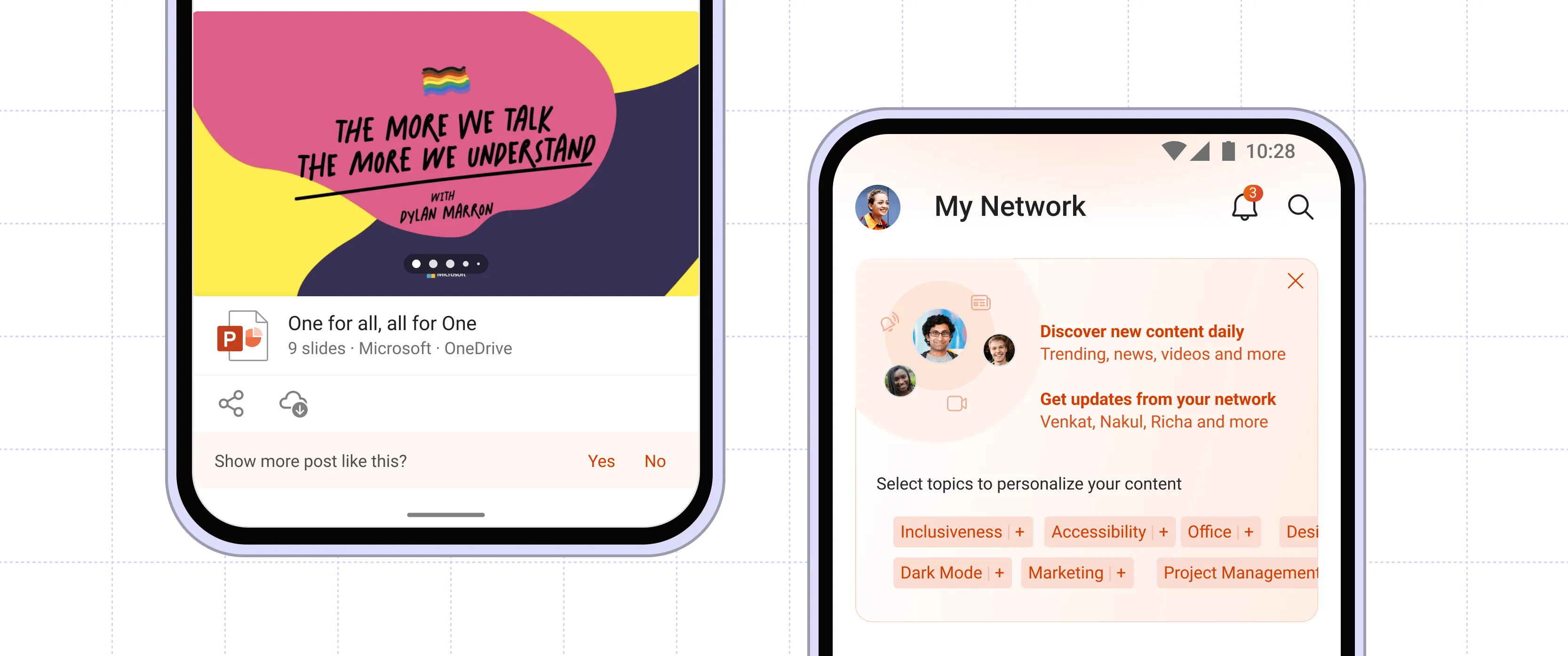
Security and Privacy //Privacy
Notify user at each step about visibility and security
Design for trust and support
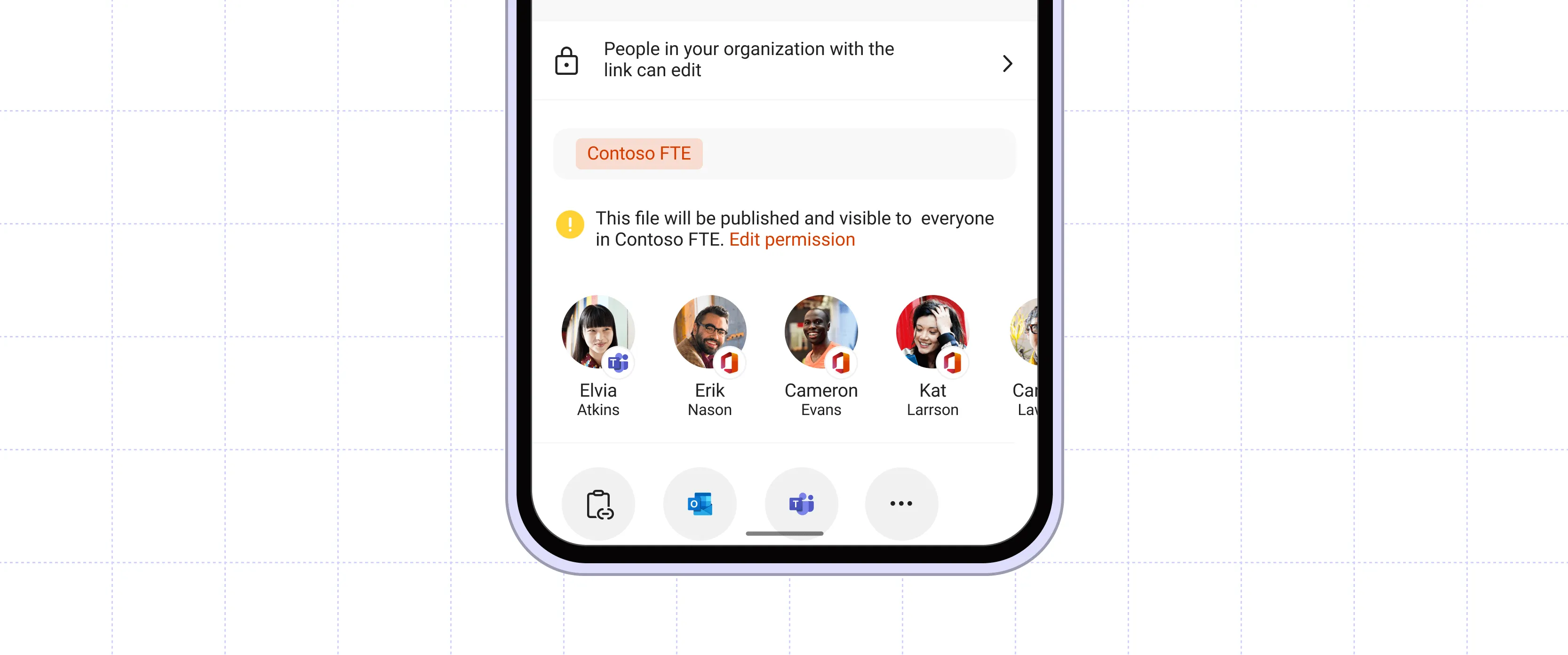
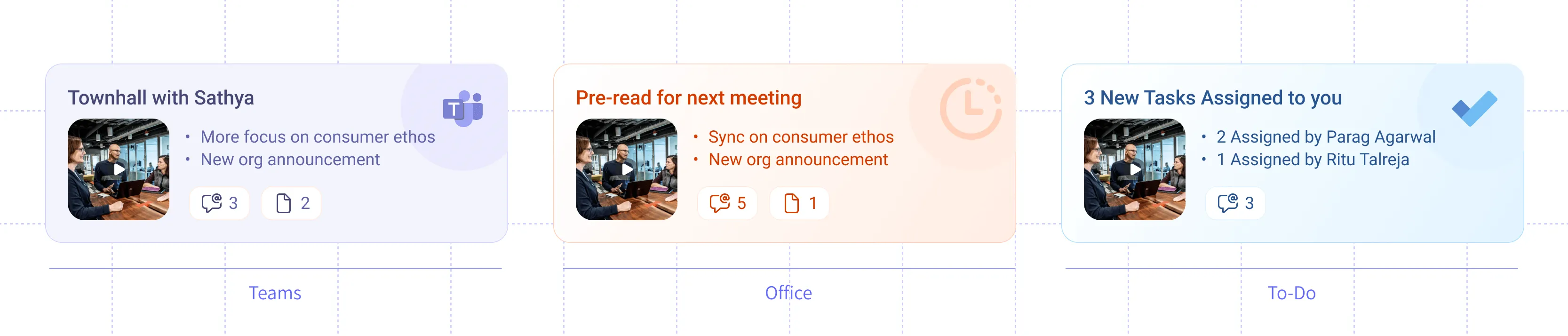
Spotlight Widgets //Aggregation
As a hub app, provide value
Consolidate all the spotlight items and support FOMO
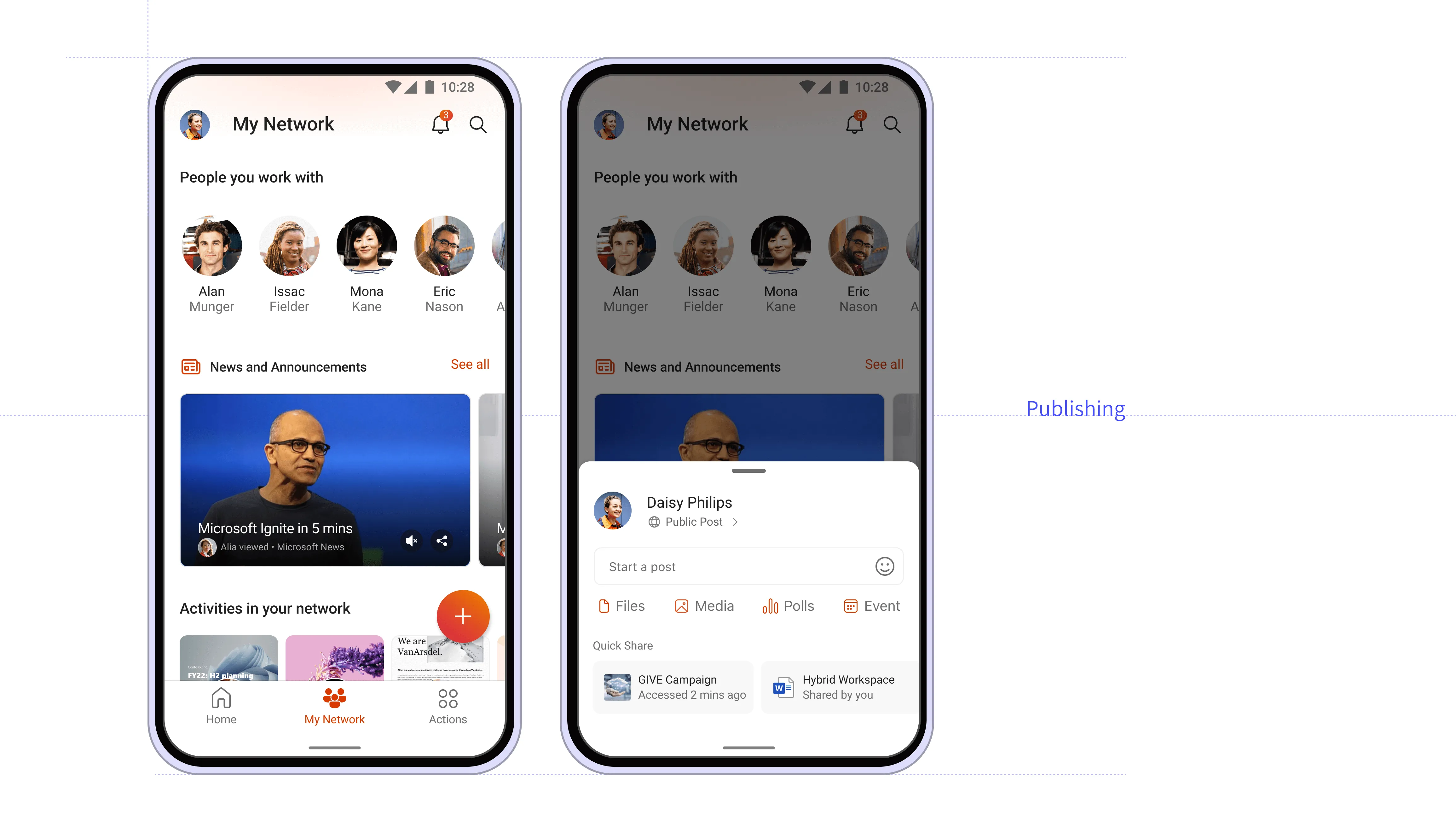
Scroll right...
MVP version 1 (NDA) out to Microsoft Global.
MVP version 2 GA 5% (NDA) releasing in August.
Cross Collaboration across Geographies, patterns added to Fluent library.
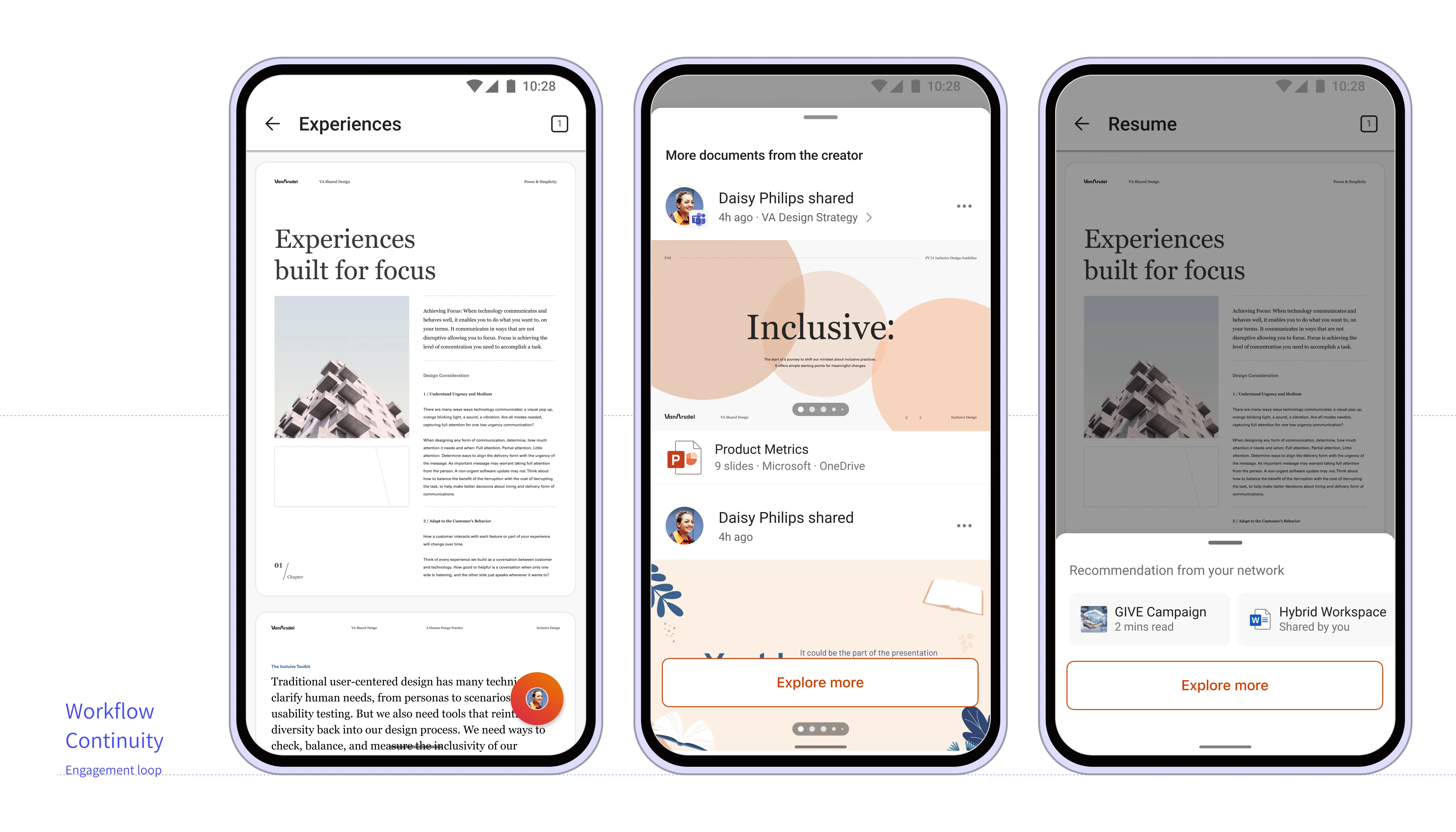
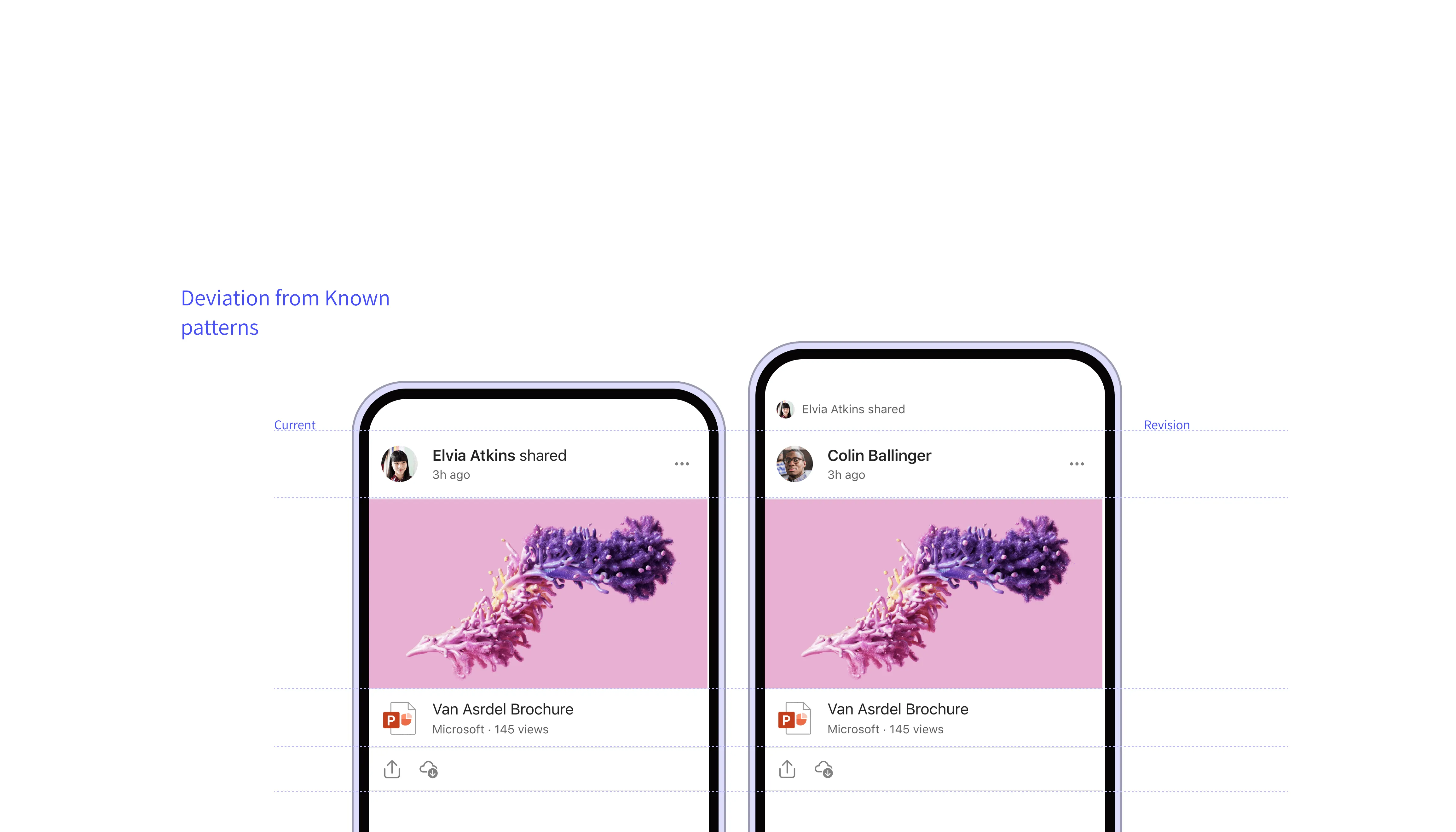
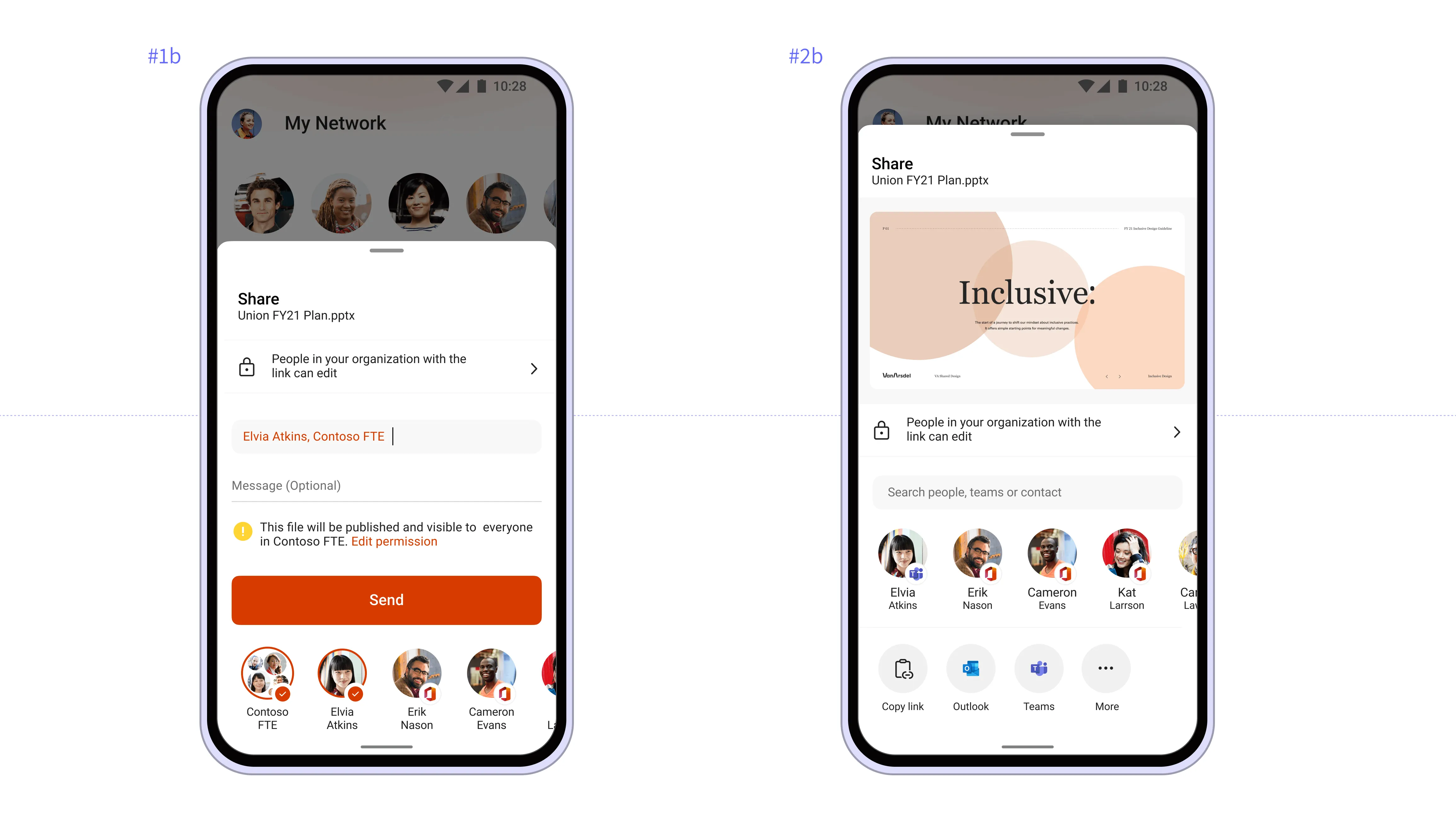
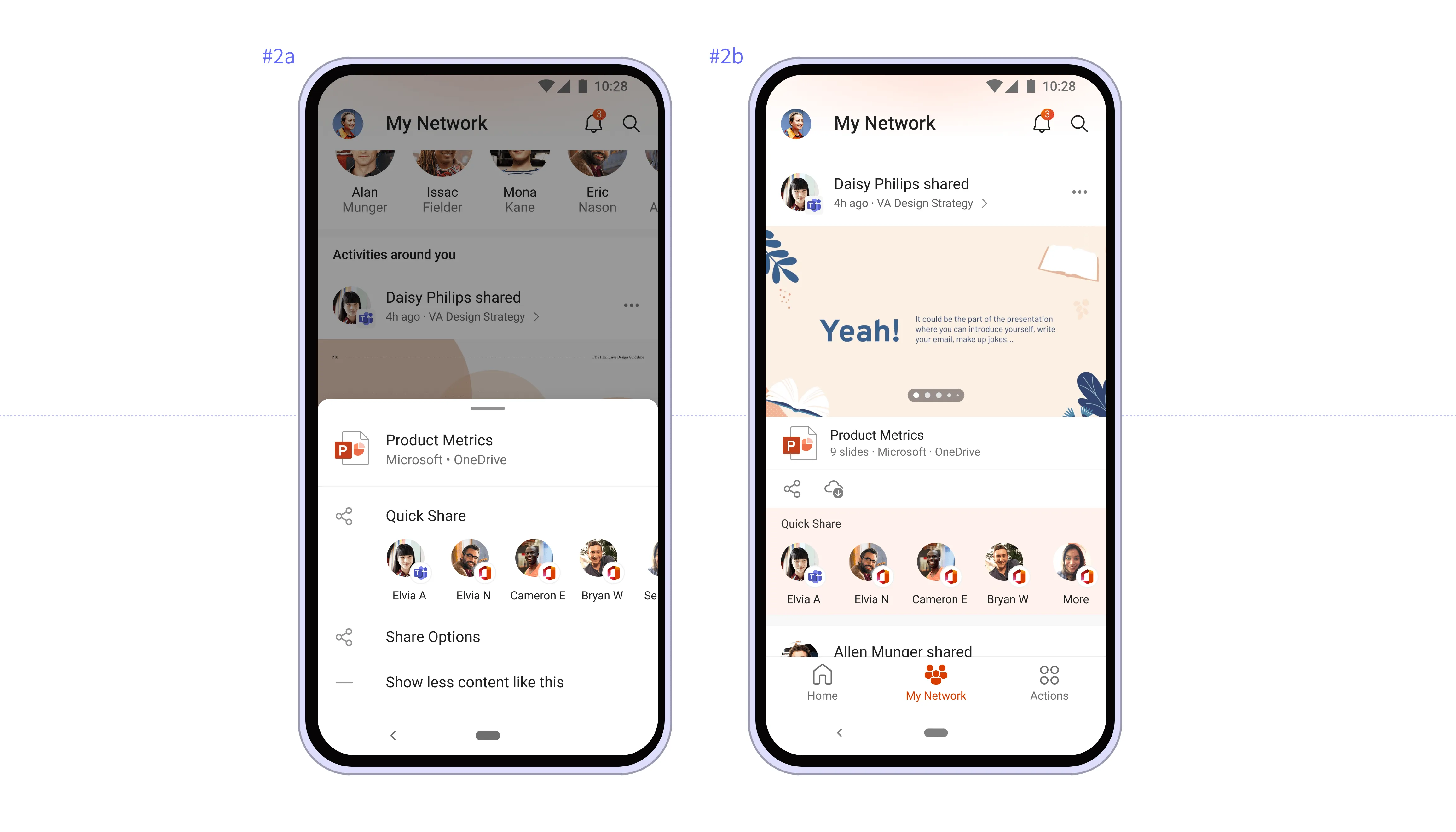
Share //Engagement Loop
Create engagement loop to support the funnel, from acquisition, activation, engagement,
retention
and referral
Quick Overview
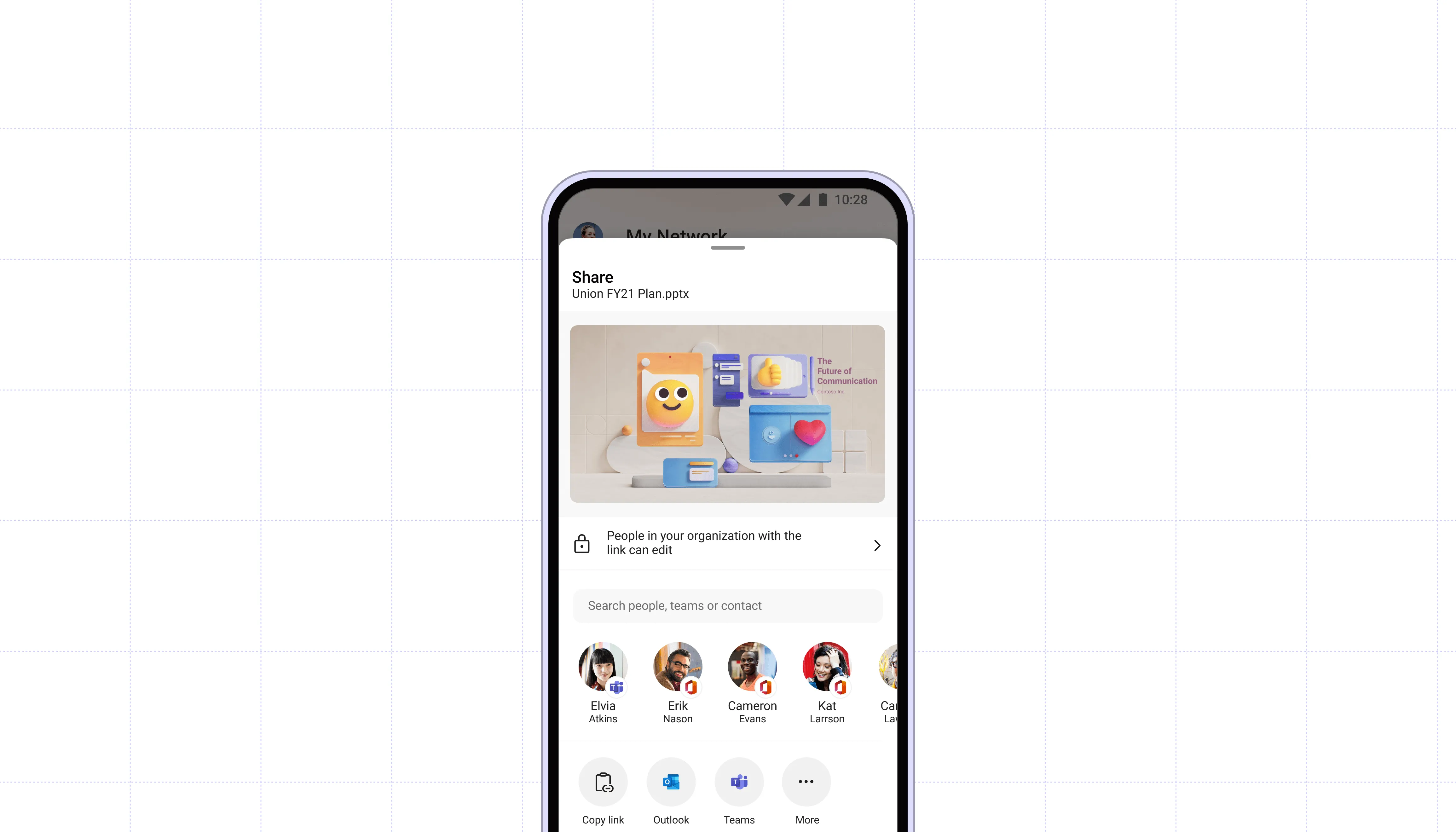
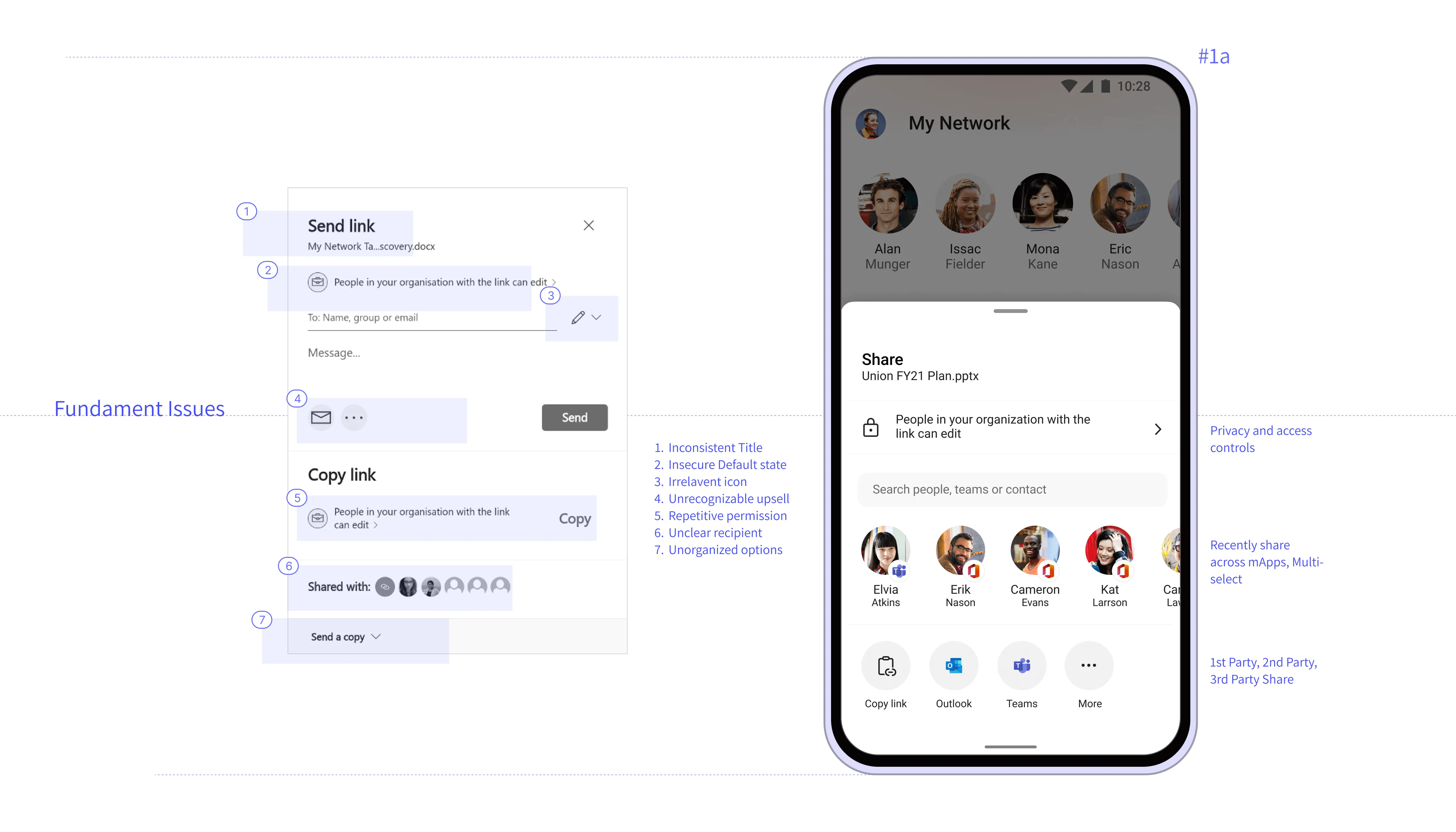
Redesigned High Value Scenario share experience to drive acquisition and referral.
Solution
New share experience, with inbound and outbound sharing capabilities.
Role
Lead Designer
Contribution
Concepts, flows, full stack design,
partnerships and execution
Project Duration:
7 Months
Project Status
In Production (Consumers)
Scroll right • •
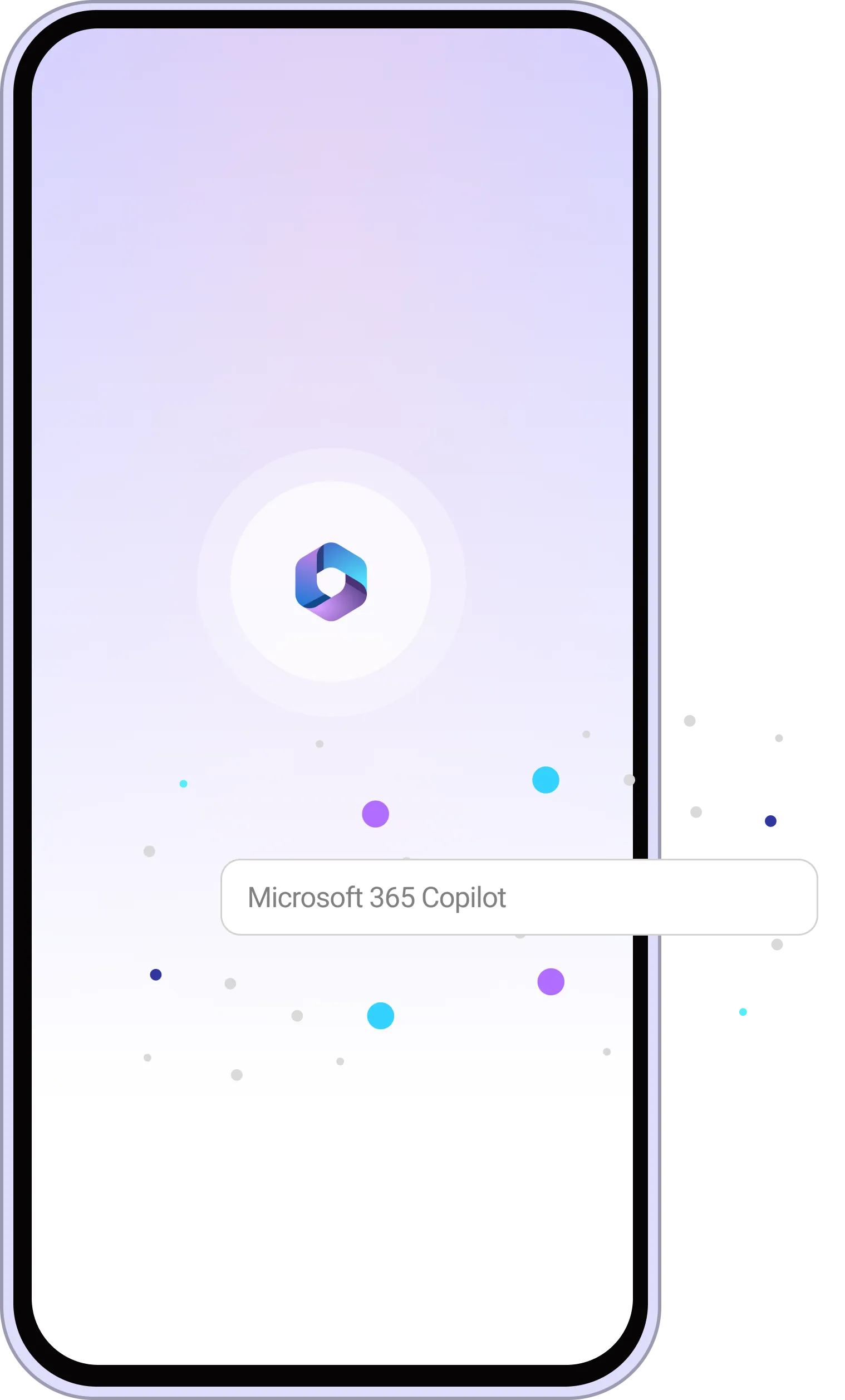
Microsoft 365 Copilot is a new feature in the Microsoft 365 mobile app that uses generative intelligence to help you create and consume content more efficiently. Whether you need to write a summary, find key takeaways, translate a document, or generate a graphic, Copilot can assist you with just a few taps. Copilot is your personal assistant for mobile productivity, powered by the latest AI technologies.
Quick Overview
Designed pilot phase of Copilot experience in Microsoft 365 App. Task involves gathering information, summarising, comprehension, insights.
Solution
Mobile and table experiences with generative intelligence
Role
Design Lead
Contribution
Pitching scenarios and use cases, designs,
partnerships, evaluating execution
Project Duration:
9 Months
Project Status
Went Live in Dec 2023
Note: Due to NDA and sensitivity, some sections of these projects are not available in public forum. To get early glimpses of the project, please install Microsoft 365(Office) App from Appstore or Playstore and sign up for Beta.
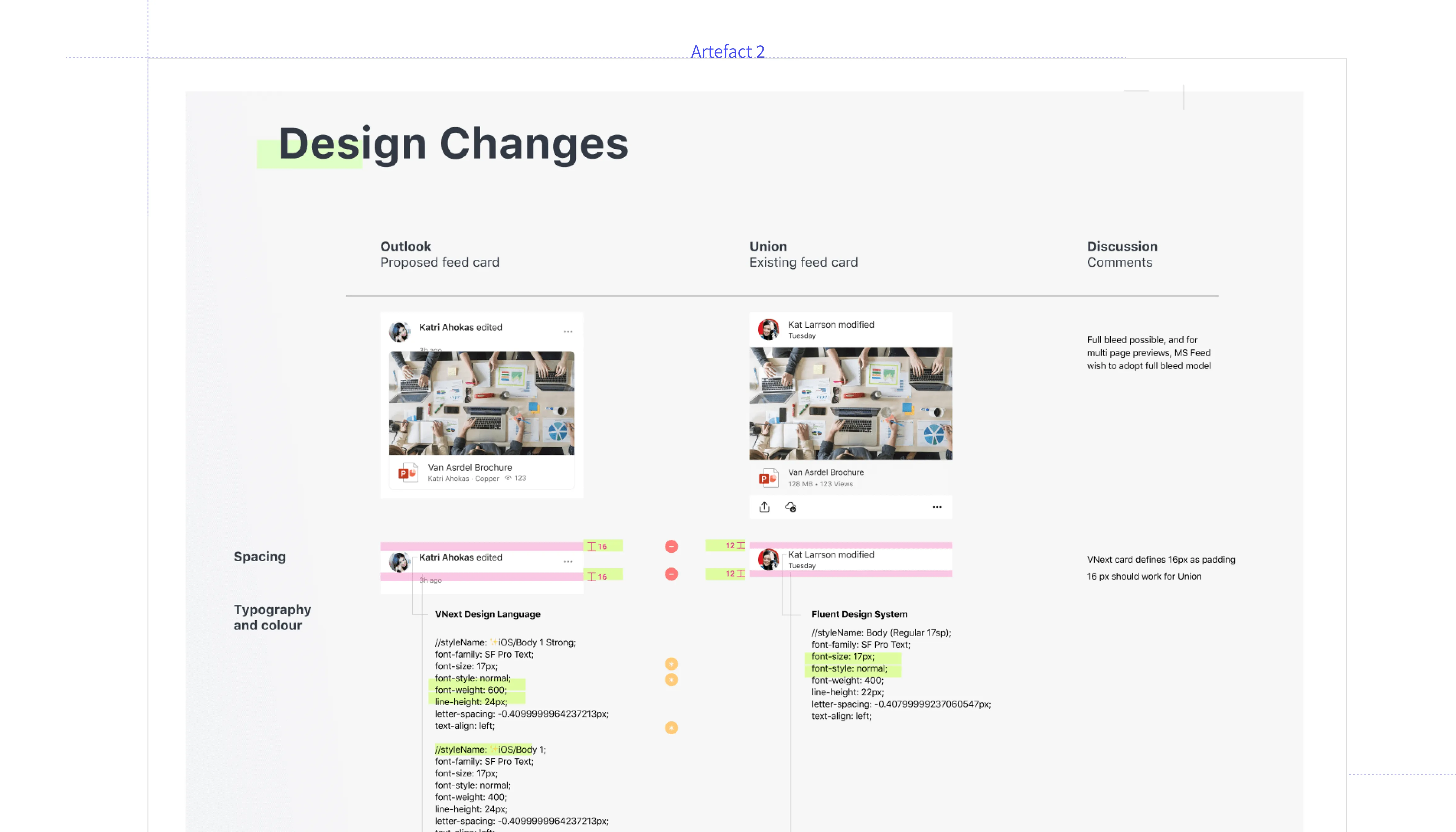
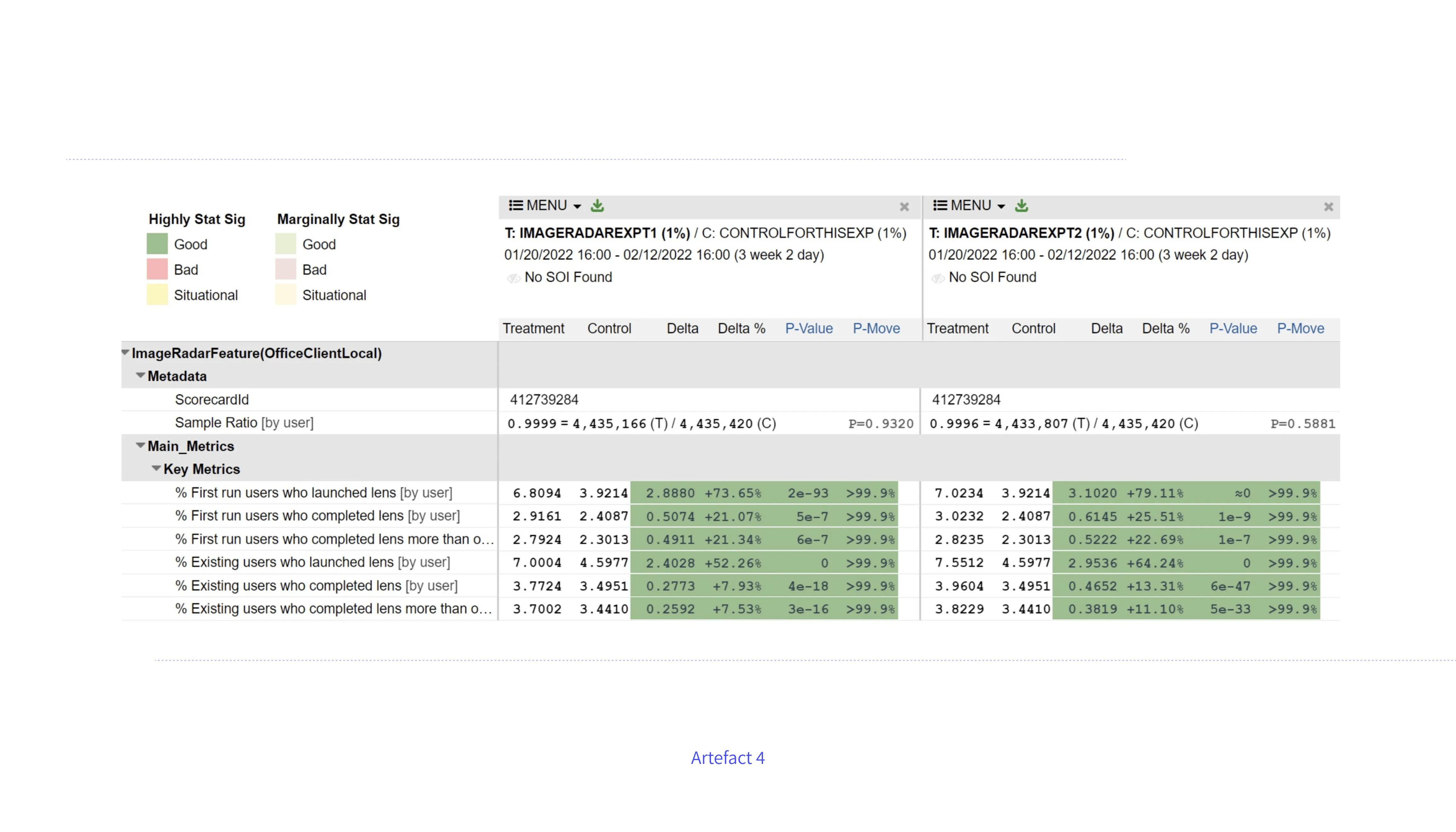
As the owner of the whole track, I have to manage the project effectively. This involves co-creating a spec document with the PM and EM, reviewing the experiments, validating and analyzing the test results, reviewing the build and making a go or no-go decision, and recommending the exposure of the feature based on craft and function. These are some of the aspects that I take care of during the whole cycle.
Key Responsibilities Includes
1. Design conceptualization, roadmap evaluation and pitching
2. Exploring partnerships and cross geographies collaboration
3. Stakeholder management and communication
4. Mentoring, hiring and performance management


Scroll right...
For the past few years, my focus has been to push the boundaries and evolve consumer-grade principles in the app, as well as to constantly evaluate and improve the product, process, and people aspects of the Microsoft 365 app and team
Constant focus on fundamentals
Need of strong fundamentals, go back to basics
Leverage Collective Knowledge
V Team Efforts, QAB, Leverage collective knowledge for faster progress
Think like Hub
Create patterns that can scale and strive for consistent experiences
Review offering with triad
Experience Review (ER), renewed interest and mandatory process phase.
Tracking Craftsmanship Bugs
Tracking craftsmanship bugs in VSO and Shiproom
Evaluate Experiments
Product Experiment Review(PER), Celebrate experiment success and failures equally,
Show the future
XLT reviews, everyone is excited and care equally
Be persistent and share responsibility
Craftsmanship bugs, product quality are taken more seriously
Facilitate user interactions and onboard triad
Bespoke events, research studies, costumer interaction
Impact
Enhanced sign in experience leading to increase in App sign-in 16-18%.
Improved empty screen experience with device files which saw increased click-through rate to 5%
Microsoft E+D Be a Leader Award 2022
Citation:"Jibin's eagerness, enthusiasm and curiosity to learn and explore new things has been an inspiration to the team right throughout the year."
Currently Leading Microsoft 365 as Senior Design Manager
Leading a team of 3 and designing intelligent productivity experiences for Microsoft 365, Copilot on mobile and tablets

Overall goal is to reimagine the Microsoft 365 mobile workflows to create meaningful impact by
- Draw users to drive engagement with relevant value.
- Leverage people network to create new and better experiences.
- Design to drive trust and empower each users to achieve more
Empower every user to achieve more